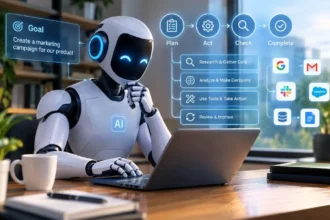




Edge AI means running artificial intelligence directly on or near the device that collects the data instead of sending everything to a distant cloud server.
- What Is Edge AI?
- How Does Edge AI Work?
- Edge AI Explained With a Simple Example
- Edge AI vs Cloud AI
- Benefits of Edge AI
- Real-World Examples of Edge AI
- What Hardware Does Edge AI Need?
- Limitations of Edge AI
- Edge AI and Generative AI
- Why Is Edge AI Becoming Important?
- When Should a Business Use Edge AI?
- A Simple Edge AI Workflow
- Key Takeaway
- FAQs
- Conclusion
For example, a smart security camera can use AI locally to recognize a person or detect movement. This can produce a faster response and reduce the amount of data sent over the internet.
What Is Edge AI?
Edge AI is artificial intelligence that runs on a local device or on computing hardware close to where data is produced.
Normally, an AI application may collect information and send it to a cloud server. The cloud processes that information and sends the result back.
Edge AI changes this process.
Instead of sending every piece of data to a remote server, the AI model can process some or all of the information locally. IBM describes edge AI as deploying AI models directly on edge devices such as sensors and IoT devices, allowing data to be processed without constant dependence on cloud infrastructure.
What Does “Edge” Mean?
The word edge refers to the location close to where data is created or where the user needs the result.
An edge device could be:
- A smartphone
- Smart camera
- Industrial sensor
- Robot
- Vehicle
- Wearable device
- Smart home appliance
- Factory machine
- IoT device
The idea is simple: bring AI closer to the data.
How Does Edge AI Work?

Edge AI combines an AI model with local computing hardware.
The basic process looks like this:
Data, Local Device, AI Model, Result, Action
For example, imagine a security camera.
- The camera captures video.
- The local computer processes the video.
- The AI model checks what appears in the image.
- It identifies a person or another object.
- The system can trigger an alert.
The camera does not necessarily need to send the entire video stream to a distant cloud server for every decision.
Step 1: Data Is Collected
A device first collects information.
This could be:
- Images
- Video
- Sound
- Temperature
- Movement
- Location
- Sensor readings
- Text
Step 2: The AI Model Processes the Data
An AI model analyzes the information.
The model may recognize objects, classify sounds, detect unusual activity, understand speech, or perform another specific task.
Step 3: The Device Produces a Result
The AI model produces an output based on the data.
For example:
Camera detects person, AI identifies person, Security system sends alert
This can happen locally and quickly.
Step 4: Cloud Services Can Still Be Used
Edge AI does not mean that the cloud disappears.
Many systems use both edge devices and cloud services. The device can handle time-sensitive processing locally while the cloud handles storage, model training, updates, or more demanding tasks.
Edge AI Explained With a Simple Example
Imagine you have a smart doorbell with a camera.
A traditional cloud-based system might work like this:
Doorbell, Internet, Cloud Server, AI Processing, Result, Doorbell
The information has to travel to another location before the AI produces a result.
With edge AI, some processing can happen closer to the doorbell:
Doorbell, Local AI Processing, Result
The system may recognize that someone is standing at the door and immediately respond.
This is useful when a quick response matters.
Edge AI vs Cloud AI
The main difference is where the AI processing happens.
| Feature | Edge AI | Cloud AI |
| Processing location | Device or nearby edge hardware | Remote cloud servers |
| Response time | Often very fast | Can depend on network connection |
| Internet dependence | Can work with limited or no connection for some tasks | Usually requires network access |
| Data transfer | Less data may need to leave the device | More data may be sent to the cloud |
| Hardware | Local AI-capable hardware required | Cloud provides computing resources |
| Large model support | More limited by local hardware | Usually easier to support large models |
| Privacy | Data can stay local | Data may need to travel to cloud systems |
| Best for | Real-time and local decisions | Large-scale processing and centralized workloads |
There is no requirement to choose only one approach. A hybrid system can use edge processing for quick decisions and cloud computing for heavier workloads.
Benefits of Edge AI
Edge AI has several practical benefits, especially when an application needs quick responses.
1. Faster Responses
One of the biggest advantages is lower latency.
When data does not have to travel to a distant cloud server before processing, the system can respond more quickly. This matters for applications such as robotics, industrial automation, vehicles, and other systems that need rapid decisions.
2. Less Internet Bandwidth
Sending large amounts of video, audio, or sensor data to the cloud can consume significant bandwidth.
Edge AI can process information locally and send only important results or selected data.
For example, a camera could analyze video locally and send an alert only when it detects a specific event.
3. Better Offline Capability
Some edge AI applications can continue working when internet connectivity is weak or unavailable.
This is useful for vehicles, factories, remote locations, and other environments where a stable connection cannot always be guaranteed.
4. Improved Data Privacy
Local processing can reduce the need to transfer sensitive information to external servers.
For example, a device may analyze certain images or sounds locally and send only the result instead of sending the entire raw dataset.
However, local processing does not automatically make a system completely secure. Security still depends on how the device, software, network, and stored data are protected.
5. Real-Time Decisions
Edge AI is useful when an AI system needs to react quickly.
A factory machine, for example, could analyze sensor information locally and identify a possible problem without waiting for a cloud response.
6. Reduced Data Transfer Costs
When less raw data travels across a network, organizations may reduce bandwidth requirements.
This can be particularly useful for systems that produce huge amounts of data from cameras and sensors.
Real-World Examples of Edge AI
Edge AI is already used across several industries.
Smartphones
Modern smartphones can perform certain AI tasks directly on the device.
Examples include:
- Voice recognition
- Image processing
- Camera features
- Face recognition
- Translation features
- Personalized recommendations
The exact capabilities depend on the device and software.
Smart Security Cameras
AI-powered cameras can analyze video locally.
They may detect:
- People
- Vehicles
- Objects
- Movement
- Specific events
Local processing can help reduce the amount of video that needs to be transmitted elsewhere.
Self-Driving and Assisted-Driving Vehicles
Vehicles generate large amounts of information through cameras, radar, sensors, and other systems.
AI processing close to the vehicle can support rapid analysis of the surrounding environment. Edge computing is particularly relevant to automotive applications because response time can be critical.
Smart Factories
Factories use sensors and cameras to monitor machines and production processes.
Edge AI can analyze this information close to the equipment.
For example, an AI system may identify unusual machine behavior and notify operators.
Healthcare Devices
Some healthcare devices can use local processing to analyze information close to where it is collected.
This can reduce latency and limit the need to send certain data elsewhere, although healthcare applications require strong security, validation, and regulatory controls.
Robots
Robots need to understand their surroundings and respond to changing conditions.
Local AI processing can help robots analyze camera and sensor information without depending entirely on a remote server.
Smart Home Devices
Smart appliances and other connected devices can use local AI for tasks such as voice commands, activity detection, or device monitoring.
AWS gives smart appliances as an example of systems that can run AI logic locally and synchronize information with the cloud when needed.
What Hardware Does Edge AI Need?
Edge AI requires hardware capable of running AI models.
Depending on the application, this can include:
- CPUs
- GPUs
- NPUs
- AI accelerators
- Edge servers
- Smart sensors
- Embedded computers
Modern edge systems increasingly use specialized AI hardware because AI calculations can require significant computing power.
IBM identifies edge processors and AI accelerators, including GPUs and NPUs, as important components of edge AI infrastructure.
What Is an NPU?
NPU stands for Neural Processing Unit.
It is a processor designed to handle certain AI and machine learning workloads efficiently.
Many newer consumer devices include AI-focused hardware that can perform some tasks directly on the device.
Limitations of Edge AI
Edge AI has useful advantages, but it also has limitations.
1. Limited Computing Power
A small device usually has fewer resources than a large cloud data center.
This can limit the size and complexity of AI models that can run locally.
2. Power Consumption
AI processing requires computing power.
For battery-powered devices, developers need to balance performance with battery life.
3. Hardware Costs
Organizations may need to purchase AI-capable devices, sensors, processors, or edge servers.
Large deployments can also require systems for monitoring and managing many devices.
4. Model Management
Updating AI models across hundreds or thousands of devices can be difficult.
Organizations need reliable systems for deploying software updates, monitoring devices, and maintaining security.
5. Security Risks Still Exist
Local processing can reduce some data-transfer risks, but edge devices can still be attacked.
A secure edge AI system needs device security, authentication, software updates, access controls, and appropriate data protection.
6. Not Every AI Task Belongs at the Edge
Some AI workloads need large models or extensive computing resources.
In those cases, cloud infrastructure may still be more practical.
Edge AI and Generative AI
Generative AI can also run on edge devices when the model and hardware are suitable.
For example, smaller language models can perform selected tasks locally.
This can allow a device to process certain requests without sending every input to a cloud service.
However, running a large generative AI model locally can require substantial memory and computing power.
IBM notes that smaller language models are helping expand what edge devices can process locally.
Edge AI and AI Assistants
A future AI assistant could divide tasks between the device and cloud.
Simple requests might be handled locally.
More complex requests could be sent to a cloud model.
This creates a hybrid architecture where the device and cloud work together.
Why Is Edge AI Becoming Important?
The amount of data produced by connected devices continues to grow.
Smart cameras, sensors, phones, vehicles, industrial equipment, and other devices can produce large volumes of information.
Sending all of that information to centralized servers is not always practical.
Edge AI provides another option: process important information closer to where it is generated.
The combination of AI, IoT devices, better processors, and edge computing is helping expand AI into physical environments.
Edge AI vs Edge Computing
These terms are related but not identical.
Edge computing means processing data closer to where it is generated.
Edge AI adds artificial intelligence to that local processing.
So:
Edge Computing = Local Computing
Edge AI = Local Computing + Artificial Intelligence
This is the easiest way to remember the difference.
When Should a Business Use Edge AI?
Edge AI can make sense when a business needs one or more of the following:
- Very fast responses
- Local data processing
- Limited internet connectivity
- Lower bandwidth use
- Local decision-making
- Reduced data transfer
- Real-time monitoring
However, businesses should first consider the workload, hardware requirements, security needs, model size, connectivity, and cost. Businesses also have a range of AI tools available for everyday tasks, depending on their specific needs and goals.
A hybrid edge and cloud architecture may be more suitable than using edge AI for everything. AWS specifically describes edge and cloud as complementary layers that can handle different workloads based on latency, connectivity, and model requirements.
A Simple Edge AI Workflow
Here is the complete process in simple terms:
1. A device collects data
A camera, sensor, phone, vehicle, or machine generates information.
2. The edge device receives the data
The information stays close to its source.
3. The AI model analyzes it
The model performs a specific task such as classification, detection, or prediction.
4. The device produces a result
The system can immediately respond or trigger an action.
5. The cloud may handle additional work
Data, selected results, model updates, or more complex processing can move to the cloud when needed.
This combination gives organizations flexibility instead of forcing every AI task into one location.
Key Takeaway
Edge AI explained simply means putting AI closer to where data is created.
Instead of sending every piece of information to a distant cloud server, an edge device can process some information locally.
This can provide faster responses, reduce bandwidth use, support limited-connectivity environments, and help keep some data closer to its source.
Edge AI does not replace cloud AI in every situation. In many real-world systems, the two work together.
FAQs
What is Edge AI in simple words?
Edge AI is AI that runs on or near the device that creates the data instead of relying completely on a remote cloud server.
What is an example of Edge AI?
A smart security camera that recognizes people locally is a simple example of Edge AI.
Is Edge AI the same as edge computing?
No. Edge computing means processing data close to its source. Edge AI specifically uses artificial intelligence within that edge environment.
Does Edge AI need the internet?
Not always. Some edge AI applications can perform certain tasks without an active internet connection. Other systems use both local processing and cloud services.
Is Edge AI faster than cloud AI?
For tasks that can run locally, Edge AI can reduce latency because the data does not need to travel to a distant cloud server and back.
Is Edge AI more private?
Local processing can reduce the amount of sensitive data that needs to leave a device. However, privacy still depends on the overall security and data-handling design of the system.
Can Edge AI run on a smartphone?
Yes. Smartphones can perform various AI tasks locally, depending on their processors, software, and available AI models.
What is the difference between Edge AI and Generative AI?
Edge AI describes where AI processing happens, while generative AI describes what type of AI capability is being used. A generative AI model can run at the edge if the device has enough resources.
Why is Edge AI useful for IoT?
IoT devices can produce large amounts of data. Edge AI allows some of that information to be analyzed close to the device, which can reduce latency and network traffic.
Will Edge AI replace cloud AI?
Not necessarily. Many systems use a combination of edge and cloud computing. Edge devices can handle fast local tasks while cloud systems handle storage, training, updates, or more demanding workloads.
Conclusion
Edge AI brings artificial intelligence closer to the devices and environments where data is created.
A smartphone, camera, vehicle, robot, factory machine, or smart appliance can process certain information locally instead of sending every request to a remote cloud server.
This approach can reduce latency, lower data transfer needs, and support applications that need quick responses. At the same time, local hardware has limits, and many practical systems still combine edge processing with cloud computing.