



AI customer service chatbots are software tools that use artificial intelligence to answer customer questions, provide support, access information, and in some cases complete tasks automatically.
- What Are AI Customer Service Chatbots?
- How Do AI Customer Service Chatbots Work?
- AI Chatbots vs Traditional Chatbots
- Main Features of AI Customer Service Chatbots
- Benefits of AI Customer Service Chatbots
- Common AI Chatbot Use Cases
- AI Customer Service Chatbots and Human Agents
- Limitations and Risks
- How to Choose an AI Customer Service Chatbot
- How to Implement AI Chatbots
- AI Customer Service Chatbots vs AI Agents
- What Does the Future Hold for AI Customer Service Chatbots?
- Key Takeaway
- FAQs About AI Customer Service Chatbots
- Conclusion
Unlike older rule-based bots, modern AI customer service chatbots can understand natural language, keep track of conversation context, work with business knowledge, and connect with other systems. Some newer systems can also take actions such as checking an order, updating information, or routing a complex issue to a human agent.
What Are AI Customer Service Chatbots?
AI customer service chatbots are digital support assistants designed to communicate with customers using natural language.
A customer can type a question such as:
“Where is my order?”
Instead of waiting for a support representative, the chatbot can check connected information and provide an answer if the system has the required access.
Modern chatbots can do much more than answer simple questions. Depending on the platform, they may use company documents, product information, customer records, knowledge bases, APIs, and other business tools.
IBM describes customer service chatbots as AI-powered applications that simulate human conversation and assist customers through text or voice interfaces.
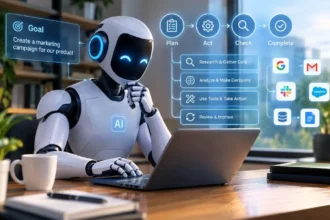
The technology has also moved beyond simple question-and-answer systems. Newer AI agents can connect with business systems and perform certain actions instead of only providing information.
For readers who want to understand the technology behind these systems, the StuffBytes guide on how to create an AI agent explains how AI agents use instructions, tools, knowledge, permissions, and testing.
Simple Example
Imagine an online clothing store.
A customer asks:
“Can I return these shoes if they do not fit?”
A basic chatbot might provide a standard return policy.
An AI customer service chatbot could potentially:
- Understand the customer’s question.
- Check the store’s current return policy.
- Ask for the order number if needed.
- Check the order details.
- Explain whether the item qualifies.
- Provide return instructions.
- Send the case to a human if the situation needs manual review.
The exact capabilities depend on the software, connected systems, data, and permissions.
How Do AI Customer Service Chatbots Work?
AI customer service chatbots usually combine several technologies rather than relying on one feature.
1. The Customer Sends a Message
The process starts when a customer sends a question through a website, mobile app, messaging platform, or another supported channel.
The message might be very simple:
“What time do you close?”
Or it could be more detailed:
“I received my order today, but one item is missing. Can you tell me what I should do?”
The AI needs to understand what the customer actually wants.
2. The AI Understands the Request
Natural language processing and modern language models help the chatbot interpret the customer’s words.
Customers do not always use the exact wording stored in a company’s FAQ.
For example:
- “How long does shipping take?”
- “When will my package arrive?”
- “What is your delivery time?”
- “How many days does delivery need?”
These questions can have the same basic intent.
Conversational AI systems are designed to understand different forms of human language and provide responses through customer service channels.
3. The Chatbot Checks Available Information
The system may use information from:
- FAQs
- Help center articles
- Product databases
- Order systems
- Customer records
- Internal documents
- CRM platforms
- Knowledge bases
- Approved external services
The quality of this information matters. If the chatbot receives outdated or incorrect company information, its answers can also be wrong.
4. The AI Creates a Response
The chatbot then generates a response based on the customer’s request and the information available to it.
For example:
Customer: “How long does standard delivery take?”
Chatbot: “Standard delivery usually takes 3 to 5 business days. Your order confirmation will include the tracking information once the package ships.”
A well-designed response should be clear and directly related to the customer’s question.
5. The System Takes an Action When Allowed
Some modern AI systems can go beyond conversation.
They may be connected to tools that allow them to:
- Check order status
- Create support tickets
- Update customer information
- Schedule appointments
- Process certain requests
- Retrieve account details
- Route conversations
- Escalate cases
Salesforce describes modern customer service AI agents as systems that can understand questions, retrieve information, and perform specified actions such as service appointments or returns.
This is one reason the line between a chatbot and an AI agent is becoming less clear.
AI Chatbots vs Traditional Chatbots
Not every chatbot is an AI chatbot.
Older customer service bots often depended heavily on predefined rules and menus.
A conversation might look like:
Choose an option:
- Order status
- Returns
- Shipping
- Contact support
The customer had to follow the expected path.
Modern AI customer service chatbots can understand more flexible language.
| Feature | Traditional Chatbot | AI Customer Service Chatbot |
| Predefined responses | Common | Can use generated responses |
| Natural language | Limited | Stronger |
| Context awareness | Limited | More capable |
| Knowledge base | Sometimes | Common |
| Tool connections | Limited | Often available |
| Complex questions | Difficult | Better suited |
| Multi-step tasks | Limited | Possible |
| Human handoff | Common | Supported |
| Personalization | Limited | Can be more personalized |
This does not mean every AI chatbot can solve complicated problems. The actual performance depends on its model, training data, integrations, instructions, and safeguards.
Main Features of AI Customer Service Chatbots
The exact feature list varies between platforms, but several capabilities are common.
Natural Language Understanding
The chatbot should understand normal customer language instead of forcing people to use specific keywords.
This makes the conversation feel more natural.
24/7 Availability
AI chatbots can operate outside normal business hours.
A customer may need help at midnight, during a weekend, or on a public holiday. A chatbot can still provide basic assistance when human support teams are unavailable.
IBM identifies around-the-clock availability as one of the major benefits of customer service chatbots.
Knowledge Base Access
A chatbot can use approved company information to answer questions about:
- Products
- Services
- Pricing
- Shipping
- Returns
- Policies
- Account procedures
- Troubleshooting
This can reduce the number of simple questions handled manually.
Multilingual Support
Some AI customer service systems can communicate in multiple languages.
This can help businesses that serve customers from different regions.
Conversation History
Context can make support conversations easier.
For example, if a customer already explained that a package arrived damaged, the system should not repeatedly ask:
“What is the problem with your order?”
Instead, it should retain relevant context within the conversation and use it appropriately.
Human Handoff
A good chatbot should know when a human needs to take over.
For example, the chatbot may handle a basic return question but transfer the conversation when:
- A customer disputes a charge
- A sensitive account issue appears
- The customer is highly frustrated
- The request falls outside the chatbot’s permissions
- A business employee needs to make the final decision
Benefits of AI Customer Service Chatbots
AI customer service chatbots can provide useful benefits when businesses implement them carefully.
1. Faster Responses
Customers do not always want to wait for an email reply.
A chatbot can answer common questions immediately.
This is particularly useful for basic requests involving shipping, business hours, returns, account procedures, or product information.
IBM notes that AI-powered customer service tools can provide real-time responses and reduce customer wait times.
2. Lower Support Workload
Customer service teams often spend a large amount of time answering the same questions.
A chatbot can handle many repetitive requests while human representatives focus on cases that need more attention.
3. Better Scalability
A human agent can only handle a limited number of conversations at once.
Software can handle many conversations simultaneously, although the actual capacity depends on the platform and infrastructure.
This becomes especially useful during:
- Sales events
- Product launches
- Holidays
- Promotions
- Service disruptions
4. Consistent Answers
A chatbot can use the same approved information across many conversations.
This can reduce variation between different support responses.
However, consistency only helps when the underlying information is accurate and current.
5. Support Outside Business Hours
A customer does not have to wait until the next working day for every basic question.
The chatbot can provide immediate assistance and collect information for a human team when necessary.
6. Useful Customer Data
Chatbot conversations can show businesses which questions customers ask most often.
For example, if hundreds of customers ask about the same confusing return rule, that may indicate a problem with the policy page or product information.
Businesses can use this information to improve their support content.
7. Support for Human Agents
AI does not have to communicate directly with customers all the time.
It can also support human representatives by:
- Summarizing conversations
- Suggesting replies
- Retrieving information
- Classifying tickets
- Finding relevant documents
- Highlighting customer history
This creates a model where AI and human agents work together.
Common AI Chatbot Use Cases
AI customer service chatbots can work across many industries.
E-commerce
Online stores can use chatbots to answer questions about:
- Product availability
- Shipping
- Returns
- Order status
- Product specifications
- Discounts
- Delivery times
For example, a customer could ask:
“Is this jacket available in medium?”
If the chatbot has access to current inventory information, it may provide an answer without requiring a human employee.
Banking and Financial Services
Chatbots can help with general account questions, service information, transaction guidance, and other approved support tasks.
Because financial information can be sensitive, businesses need stronger security and permission controls.
Travel and Hospitality
Hotels, airlines, and travel businesses can use AI chatbots for questions about:
- Reservations
- Check-in
- Cancellation policies
- Hotel facilities
- Travel information
- Booking changes
More advanced systems may connect with reservation software to perform specific actions.
Healthcare
Healthcare organizations may use conversational AI for administrative tasks such as appointment information, general service questions, and basic navigation of healthcare resources.
However, medical advice and sensitive health information require appropriate professional and privacy controls.
Software Companies
Technology businesses can use AI chatbots to answer product questions, troubleshoot common issues, explain features, and guide customers through documentation.
They can also help route technical problems to the correct support team.
Telecommunications
Telecom companies can use chatbots for questions about:
- Plans
- Billing
- Data usage
- Account settings
- Technical troubleshooting
- Service availability
AI Customer Service Chatbots and Human Agents

One common question is whether AI chatbots will replace customer service employees.
The practical answer depends on the type of work.
Routine questions are easier to automate.
Sensitive or complicated conversations often require human judgment, empathy, business knowledge, or authority to make decisions.
IBM describes AI customer service systems as tools that can handle routine work while helping human representatives focus on more complex customer interactions.
A useful support workflow can look like this:
Customer → AI Chatbot → Simple Question → Answer
Or:
Customer → AI Chatbot → Complex Issue → Human Agent
This approach gives the chatbot a clear role without forcing it to handle every situation.
For businesses already experimenting with AI automation, the article on AI SDR tools provides another example of how AI can handle repetitive business tasks while people remain involved in important decisions.
Limitations and Risks
AI customer service chatbots are useful, but they are not perfect.
Incorrect Answers
An AI system can misunderstand a question or provide an incorrect response.
This becomes a serious problem if the chatbot gives customers inaccurate information about money, accounts, contracts, or safety.
Outdated Information
A chatbot can only provide reliable company information when its connected data is maintained properly.
If a business changes its return policy but fails to update the chatbot’s knowledge source, customers may receive old information.
Privacy Concerns
Customer service conversations can contain sensitive information.
Businesses should carefully control what information the AI can access and what actions it can perform.
Poor Escalation
A chatbot should not trap customers in an endless loop.
If the system cannot solve the problem, it should provide a clear route to a human representative.
Over-Automation
Not every customer interaction should be automated.
Some customers simply want to speak with a person, especially when the issue is complicated or emotionally sensitive.
Security Risks
Connecting an AI system to customer records, databases, payment systems, or other software creates additional security concerns.
Businesses should use appropriate authentication, access controls, monitoring, and testing.
NIST is actively working on standards and security issues related to AI agent systems and their interaction with external tools and systems.
For businesses interested in broader AI developments, the AI Agent News guide on StuffBytes covers current AI agent developments and trends.
How to Choose an AI Customer Service Chatbot
Businesses should not choose a chatbot based only on the number of AI features listed on a product page.
Start with the actual support problem.
1. Identify Repetitive Questions
Review support tickets and customer conversations.
Look for questions that appear repeatedly.
2. Check Knowledge Base Support
The chatbot should be able to use accurate and current business information.
3. Review Integrations
Check whether the chatbot works with the systems your team already uses.
Possible integrations include:
- CRM
- Help desk
- E-commerce platform
- Order management
- Knowledge base
- Calendar
- Customer database
4. Check Human Handoff
Make sure customers can reach a human when necessary.
5. Review Permissions
The chatbot should only have access to the information and actions it needs.
6. Check Analytics
Good reporting can show:
- Number of conversations
- Common questions
- Resolution rates
- Escalations
- Failed responses
- Customer feedback
7. Test Before Full Deployment
Run real customer scenarios before giving the chatbot a major role.
Test simple questions, unusual wording, missing information, angry customers, unclear requests, and requests outside its permissions.
How to Implement AI Chatbots
A business does not need to automate its entire support department on day one.
A smaller rollout is often easier to manage.
Step 1: Choose One Support Area
Start with something simple such as shipping questions.
Step 2: Prepare Reliable Information
Collect the relevant FAQs, policies, product information, and support documents.
Step 3: Set Clear Rules
Tell the system what it can and cannot do.
Step 4: Connect Required Tools
Only give the chatbot access to systems it genuinely needs.
Step 5: Add Human Escalation
Create clear conditions for transferring customers to human representatives.
Step 6: Test Conversations
Use real examples from past customer questions.
Step 7: Monitor Results
Review conversations regularly and update the chatbot when problems appear.
Zendesk also recommends treating chatbots as part of the wider customer support experience, with automated support working alongside human agents.
AI Customer Service Chatbots vs AI Agents
The terms chatbot and AI agent are increasingly used together, but there is still a useful distinction.
A chatbot mainly focuses on conversation.
An AI agent can have a larger goal and use tools to complete several steps.
For example:
Chatbot:
Customer: “What is your return policy?”
AI: “You can return eligible items within 30 days.”
AI agent:
Customer: “I want to return my order.”
AI agent:
- Checks the customer’s order.
- Check the return policy.
- Confirms eligibility.
- Creates the return request.
- Provides the next instructions.
The second workflow involves actions rather than only conversation.
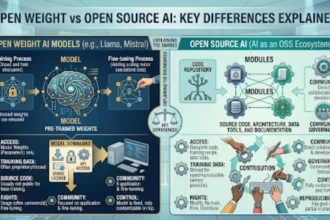
This guide on open weight vs open source AI also explains an important distinction in modern AI technology, which can help readers understand some of the technology choices behind AI systems.
What Does the Future Hold for AI Customer Service Chatbots?
Customer service chatbots are moving toward systems that can do more than answer basic questions.
The next stage includes stronger connections between conversational AI, business software, and AI agents.
Instead of:
Question → Answer
Businesses can build workflows such as:
IBM reports that newer agentic customer service systems can coordinate actions across systems and workflows, including verification, updates, follow-ups, and escalation.
This does not mean every support task should become fully autonomous.
The more access an AI system receives, the more important security, testing, permissions, monitoring, and human oversight become.
The likely direction is a combination of automation and human support rather than a single system handling every customer situation.
Key Takeaway
AI customer service chatbots can help businesses answer questions faster, handle repetitive support requests, provide 24/7 assistance, and support human customer service teams.
Their value depends on more than the AI model itself. Accurate business information, useful integrations, clear permissions, good escalation rules, and regular testing all matter.
For simple questions, a chatbot may provide a quick answer. For more complicated requests, modern AI systems can connect to business tools and complete multiple steps before handing the conversation back to the customer or a human employee.
FAQs About AI Customer Service Chatbots
What are AI customer service chatbots?
AI customer service chatbots are software systems that use artificial intelligence to communicate with customers, answer questions, provide information, and sometimes complete support tasks.
How do AI customer service chatbots work?
They use technologies such as natural language processing, language models, knowledge bases, business data, and connected tools to understand customer requests and generate responses or take approved actions.
What are the benefits of AI customer service chatbots?
The main benefits include faster responses, 24/7 availability, reduced repetitive workload, scalability, consistent information, multilingual support, and useful customer interaction data.
Can AI chatbots replace customer service agents?
They can automate some repetitive support tasks, but they do not remove the need for human representatives in every situation. Complex, sensitive, or unusual issues may still require human involvement.
Are AI customer service chatbots expensive?
Costs vary widely based on the platform, number of conversations, integrations, AI model, features, and business requirements. Some services offer small plans, while larger organizations may need custom systems.
What industries use AI customer service chatbots?
E-commerce, banking, telecommunications, software, travel, hospitality, healthcare, education, and many other industries can use AI chatbots for customer support.
What is the difference between an AI chatbot and an AI agent?
An AI chatbot mainly focuses on conversation and answering questions. An AI agent can work toward a goal, use external tools, make decisions, and complete multiple steps within defined permissions.
Can AI chatbots work 24/7?
Yes. Software-based chatbots can operate continuously, allowing customers to receive automated assistance outside normal business hours.
What should a business consider before using an AI chatbot?
Businesses should consider data quality, security, integrations, permissions, privacy, human escalation, analytics, cost, and the types of questions the chatbot needs to handle.
Conclusion
AI customer service chatbots are changing the way businesses handle everyday customer questions. They can respond quickly, work around the clock, handle repetitive requests, and help human support teams manage larger volumes of conversations.
The strongest results come from giving the chatbot a clear role and reliable information. Businesses should also keep human support available for situations that require judgment, empathy, or access beyond the chatbot’s permissions.
As AI agents become more capable, customer service systems will likely move from simple question answering toward workflows that can understand requests, access information, and complete approved actions. The important part is making that automation useful without sacrificing accuracy, privacy, security, or the human side of customer support.