

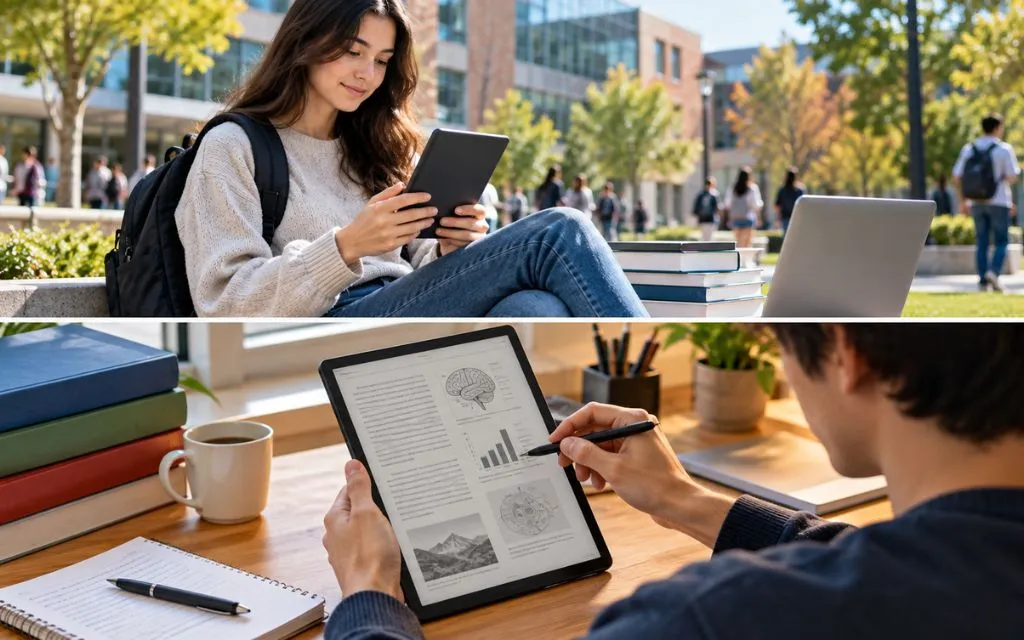

Finding the best eReader for students is not the same as choosing an eReader for casual reading. Students often need a device for textbooks, research papers, PDFs, lecture notes, academic books, and long reading sessions.
- Quick Answer: What Is the Best eReader for Students?
- Best eReader for Students Compared
- 1. Kindle Paperwhite
- 2. Kobo Libra Colour
- 3. Kindle Scribe
- 4. Kobo Elipsa 2E
- 5. BOOX E Ink Tablets
- What Should Students Look for in an eReader?
- Is an eReader Good for Textbooks?
- Is a Kindle or Kobo Better for Students?
- Can Students Take Notes on an eReader?
- eReader vs Tablet for Students
- Can an eReader Replace a Laptop for Students?
- Best eReader for Students on a Budget
- Best eReader for Students Who Read PDFs
- Best eReader for Medical, Engineering, and Science Students
- 5 Internal StuffBytes Resources for Tech-Minded Students
- Common Mistakes Students Should Avoid
- Key Takeaway
- FAQs
- Conclusion
A good student eReader should have a comfortable display, enough storage, strong battery life, useful file support, and easy access to digital books. Some students may also need handwriting or annotation features.
In 2026, students can choose from several Kindle, Kobo, and Android-based E Ink devices. Current eReader guides highlight models such as the Kindle Paperwhite, Kobo Libra Colour, Kobo Clara Colour, and larger note-taking devices as important options.
The right choice depends mainly on the student’s study style, budget, preferred book ecosystem, and whether PDF reading or note-taking is important.
Quick Answer: What Is the Best eReader for Students?
The best eReader for students depends on how the device will be used.
The Kindle Paperwhite is a strong option for students who mainly read books and want a compact, waterproof device with a high-quality E Ink screen. The Kobo Libra Colour is useful for students who want color content and note-taking features. A larger device such as the Kindle Scribe can be more suitable for students who frequently read PDFs or want to write notes.
Students who need Android apps and more flexibility can also consider larger Boox E Ink tablets.
Best eReader for Students Compared
| eReader | Best For | Display Type | Main Advantage |
| Kindle Paperwhite | General student reading | E Ink | Portable and comfortable |
| Kobo Libra Colour | Color content and notes | Color E Ink | Color + stylus support |
| Kindle Scribe | PDFs and handwriting | Large E Ink | Large writing area |
| Kobo Elipsa 2E | Study documents | Large E Ink | Reading and annotation |
| BOOX Note Air series | Advanced study workflows | E Ink | Android flexibility |
| Kindle | Students on a budget | E Ink | Simple and lightweight |
Specifications, prices, and software features can change by region and model.
1. Kindle Paperwhite
The Kindle Paperwhite remains one of the most practical choices for students who mainly want to read books.
The current Paperwhite uses a 7-inch E Ink display and includes adjustable lighting and a waterproof design. Current 2026 testing guides continue to highlight it for its screen quality, battery life, and portability.
For students who carry a device between home, school, college, and the library, its compact size can be useful. It also avoids many of the distractions found on smartphones and traditional tablets.
Students who already use other digital devices for productivity may appreciate having a separate device dedicated mainly to reading.
For more information about the Kindle ecosystem and available devices, students can visit the official Amazon Kindle page.
Why Students May Like It
- Comfortable E Ink display
- Lightweight design
- Long battery life
- Waterproof construction
- Adjustable front lighting
- Large ebook ecosystem
- Easy to carry around campus
Best For
The Kindle Paperwhite is best suited to students who read novels, course books, essays, and other text-heavy material but do not need advanced handwriting features.
2. Kobo Libra Colour
The Kobo Libra Colour is an interesting option for students who want color content.
A color E Ink screen can be useful when reading books containing diagrams, highlighted sections, illustrations, charts, or colorful educational material. WIRED’s current 2026 guide lists the Kobo Libra Colour as its featured best e-reader.
The device also supports stylus-based writing, making it more useful for students who want to annotate reading material or make notes.
Kobo’s ecosystem can also appeal to students who prefer alternatives to Amazon.
Students interested in different types of digital technology can also explore how foldable phone technology works to see how modern displays are changing portable devices.
Why Students May Like It
- Color E Ink display
- Stylus support
- Portable size
- Comfortable reading experience
- Useful for diagrams and illustrations
- Suitable for reading and light note-taking
Best For
It can be a good fit for students studying subjects where color diagrams, charts, images, or handwritten annotations are useful.
3. Kindle Scribe
The Kindle Scribe is designed for students who need more than basic reading.
Its larger display provides more space for documents and handwriting. This makes it more suitable for PDFs, academic papers, and note-taking than a small traditional eReader.
Current 2026 Kindle coverage highlights the newer Scribe generation as Amazon’s more advanced option for note-taking and productivity, although its larger size and higher price make it less suitable for students who only need basic reading.
A student can use a large E Ink device to read documents and make notes without relying entirely on a laptop.
For students who create digital content or research online, understanding modern digital tools can also be useful. StuffBytes covers this area in its guide on how to create an AI agent.
Why Students May Like It
- Large E Ink display
- Handwriting support
- Useful for PDFs
- Good for academic documents
- Designed for reading and writing
- More workspace than a standard Kindle
Best For
The Kindle Scribe is most useful for students who frequently work with longer documents, PDFs, handwritten notes, and digital study material.
4. Kobo Elipsa 2E
The Kobo Elipsa 2E is another large-format eReader designed around reading and writing.
Its larger screen provides more space for documents than a typical 6- or 7-inch eReader. This can make academic PDFs easier to view.
Large-screen E Ink devices are particularly useful when a student needs to read documents that were originally designed for paper or desktop screens.
The Kobo ecosystem also provides an alternative for students who do not want to stay within Amazon’s Kindle ecosystem.
Why Students May Like It
- Large display
- Stylus-based note-taking
- Suitable for PDFs
- Useful for academic reading
- Reading and writing in one device
Best For
It is a better match for students who regularly work with longer documents rather than students who mainly read novels.
5. BOOX E Ink Tablets
BOOX devices are different from traditional Kindle and Kobo eReaders because many models use Android and provide broader app flexibility.
Current comparisons note that BOOX devices can run Android apps, which can make them useful for students who need more than a traditional ebook reader.
For example, a student may want to access different reading apps, cloud services, or productivity tools from the same E Ink device.
However, greater flexibility can also mean more complexity. A student who simply wants to read ebooks may not need the additional features.
Students researching modern software and AI can also read about open-weight vs. open-source AI to understand another part of today’s technology landscape.
Why Students May Like BOOX
- Android-based flexibility
- Access to multiple apps
- Large-screen options
- E Ink display
- Useful for reading and productivity
- Suitable for advanced workflows
Best For
BOOX is better suited to students who want an E Ink device that can do more than traditional ebook reading.
What Should Students Look for in an eReader?
Buying the right student eReader requires looking beyond the brand name.
Screen Size
Screen size is important for academic reading.
A 6- or 7-inch device is easier to carry, while a 10-inch or larger display can make PDFs and academic documents easier to read.
Students who mainly read novels may prefer portability. Students who read textbooks and research papers may benefit from a larger screen.
E Ink Display
E Ink displays are designed to provide a paper-like reading experience.
They are especially useful for long reading sessions because they do not behave like conventional phone or tablet screens.
This makes an E Ink device attractive to students who want to spend less time reading academic material on a bright LCD or OLED display.
Battery Life
Battery life is another major advantage of eReaders.
Students may spend hours reading without access to a charger. A device that can operate for weeks between charges can be more convenient than a smartphone or tablet that requires frequent charging.
Battery performance depends on brightness, Wi-Fi usage, Bluetooth, note-taking, and other settings.
Storage
Students should consider how many books and documents they expect to store.
Text-based ebooks generally do not require much storage. Large PDFs, comics, audiobooks, and image-heavy documents can use considerably more space.
File Support
File compatibility is particularly important for students.
Academic documents can come in different formats. Before buying an eReader, students should check whether it supports the file types they regularly use.
This is especially important for students who download PDFs from universities, libraries, research platforms, or other sources.
Is an eReader Good for Textbooks?
An eReader can be useful for textbooks, but the experience depends heavily on the textbook format.
Text-heavy books can work very well on an E Ink device. However, textbooks containing complex layouts, large tables, color diagrams, or interactive elements may be better on a tablet or computer.
Large-screen eReaders are generally more suitable for academic PDFs than small basic eReaders.
Students should therefore check their most frequently used textbook formats before purchasing a device.
Is a Kindle or Kobo Better for Students?
Both Kindle and Kobo can work well for students, but their ecosystems are different.
Kindle is closely connected to Amazon’s ebook ecosystem. Kobo offers its own ebook store and supports a wider range of ebook formats in many cases.
Students should consider where they already purchase books and whether they use public-library services.
The choice should also depend on whether they need color, stylus support, or advanced PDF features.
Can Students Take Notes on an eReader?
Yes, but note-taking capabilities vary significantly.
Basic Kindle models are primarily designed for reading. Larger devices such as the Kindle Scribe are designed to support writing and annotations.
The Kobo Libra Colour also adds stylus-based functionality.
Students who take extensive handwritten notes should focus on devices specifically designed for writing rather than choosing a basic reading-only model.
eReader vs Tablet for Students

A tablet and an eReader serve different purposes.
| Feature | eReader | Tablet |
| Long reading | Excellent | Good |
| E Ink comfort | Yes | Usually no |
| Apps | Limited on many models | Extensive |
| Video | Limited | Excellent |
| Note-taking | Depends on model | Excellent |
| Gaming | Limited | Excellent |
| Battery life | Usually longer | Usually shorter |
| Distractions | Fewer | More |
A tablet is more versatile, but an eReader can create a more focused reading environment.
Students who already own a laptop or smartphone may find an eReader useful as a dedicated reading device.
Can an eReader Replace a Laptop for Students?
Usually, no.
An eReader can handle reading, highlighting, basic notes, and some document tasks. However, students still need a computer for activities such as coding, advanced research, presentations, spreadsheets, video calls, and complex assignments.
Android-based E Ink tablets can provide more flexibility, but they still do not replace the performance and software capabilities of a full laptop.
Best eReader for Students on a Budget
Students with a limited budget should avoid paying for features they will not use.
A basic Kindle can be enough for students who mainly read books. A standard Kobo device can also provide a focused reading experience.
Students should consider the total cost, including the device, stylus if needed, protective case, storage, and ebooks.
Current 2026 buying guides continue to include the standard Kindle as a budget-oriented choice.
Best eReader for Students Who Read PDFs
PDF reading requires more screen space than standard ebook reading.
For this reason, a large-screen device such as the Kindle Scribe, Kobo Elipsa 2E, or a larger BOOX model can be more practical.
A small 6-inch screen may require frequent zooming and page movement when reading fixed-layout PDFs.
Students who mainly read reflowable ebooks can choose a smaller device without the same concern.
Best eReader for Medical, Engineering, and Science Students
Students in technical subjects often work with diagrams, formulas, charts, tables, and research papers.
A larger screen can help with these materials. Color E Ink can also be useful when diagrams contain important color information.
However, students should remember that E Ink devices are not equally good at every academic task. Interactive simulations, video lectures, coding, and complex scientific software still require a computer or tablet.
5 Internal StuffBytes Resources for Tech-Minded Students
Students who use an eReader as part of a wider digital study setup may also benefit from learning about other technology topics.
For example, AI SDR tools can introduce students interested in sales technology and automation to another area of modern software.
Students concerned about manipulated digital media can read how to detect deepfake videos and learn why verifying online content matters.
Students exploring emerging technology can also read foldable phone technology explained to understand how manufacturers are developing new portable displays.
Common Mistakes Students Should Avoid
One common mistake is choosing an eReader only because it has a low price.
A cheap device may be perfectly suitable for novels but less useful for PDFs or academic documents.
Another mistake is ignoring the ebook ecosystem. Students should check whether the books they need are available through their preferred platform.
Buying a small eReader for extensive PDF reading can also create frustration.
Finally, students should not assume that every eReader supports handwriting. Note-taking features vary considerably between models.
Key Takeaway
The best eReader for students depends on the student’s study habits.
The Kindle Paperwhite is a strong choice for students who mainly want comfortable ebook reading and portability.
The Kobo Libra Colour is useful for students who want color content and stylus support.
The Kindle Scribe and Kobo Elipsa 2E are better suited to larger documents, PDFs, and note-taking.
BOOX devices can be useful for students who want Android apps and a more flexible E Ink workflow.
Before buying, students should consider screen size, file support, battery life, storage, note-taking features, and ebook ecosystem compatibility.
FAQs
What is the best eReader for students?
There is no single model for every student. Kindle Paperwhite is suitable for general reading, while Kindle Scribe, Kobo Elipsa 2E, Kobo Libra Colour, and BOOX devices can be better for PDFs, notes, or advanced study workflows.
Is Kindle Paperwhite good for students?
Yes. It is particularly useful for students who mainly read ebooks and want a lightweight device with a comfortable E Ink display and long battery life.
Is Kindle or Kobo better for students?
Both can be good. The better choice depends on the student’s preferred ebook store, file formats, library access, screen requirements, and note-taking needs.
Is an eReader good for college students?
Yes. It can be useful for reading books, research papers, essays, and other digital documents while reducing dependence on a phone or laptop for reading.
Which eReader is best for PDFs?
Large-screen models such as Kindle Scribe, Kobo Elipsa 2E, and larger BOOX devices are generally more suitable for PDFs than small basic eReaders.
Can students write notes on an eReader?
Some can. Kindle Scribe, Kobo Libra Colour, Kobo Elipsa 2E, and compatible BOOX devices offer different levels of handwriting or annotation support.
Are eReaders better than tablets for reading?
For long text-based reading, an E Ink eReader can provide a more focused and paper-like experience. Tablets are more versatile but also provide more distractions.
Can an eReader replace a laptop?
No. An eReader can handle reading and some note-taking tasks, but most students still need a laptop or computer for advanced coursework.
Is a color eReader useful for students?
It can be useful for students who frequently read diagrams, charts, illustrations, comics, or other material where color adds useful information.
What should students check before buying an eReader?
Students should check screen size, file support, storage, battery life, note-taking features, waterproofing, ebook ecosystem, and compatibility with their study materials.
Conclusion
An eReader can be a useful study companion for students who read large amounts of digital material.
The Kindle Paperwhite is well suited to straightforward ebook reading. The Kobo Libra Colour adds color and writing functionality. Larger devices such as the Kindle Scribe and Kobo Elipsa 2E can make PDFs and academic documents easier to manage.
Students who need Android apps and greater flexibility can consider BOOX devices.
The most important step is to match the device with the student’s actual study routine. A compact reader may be perfect for books, while a large E Ink tablet can be more useful for PDFs, research papers, and handwritten notes.