


The best smart plugs 2026 include the TP-Link Tapo P125M, TP-Link Kasa KP125M, Eve Energy, Amazon Smart Plug, and other options designed for different smart-home setups.
- Best Smart Plugs 2026 at a Glance
- What Is a Smart Plug?
- What Makes a Good Smart Plug in 2026?
- Best Smart Plugs 2026
- Matter vs Wi-Fi Smart Plugs
- Smart Plugs With Energy Monitoring
- What Can You Control With a Smart Plug?
- Smart Plug Safety
- Smart Plug vs Smart Outlet
- How Much Should You Spend on a Smart Plug?
- Common Buying Mistakes
- Which Smart Plug Should You Choose?
- Frequently Asked Questions
- Key Takeaway
- Conclusion
For a simple Matter setup, the Tapo P125M is worth considering. If energy monitoring matters, the Kasa KP125M is a better fit. Apple Home users may prefer Eve Energy, while people who want a very simple Alexa setup can consider the Amazon Smart Plug. Current 2026 buying guides also place strong emphasis on Matter, energy monitoring, local control, and compatibility with the user’s existing ecosystem.
Best Smart Plugs 2026 at a Glance
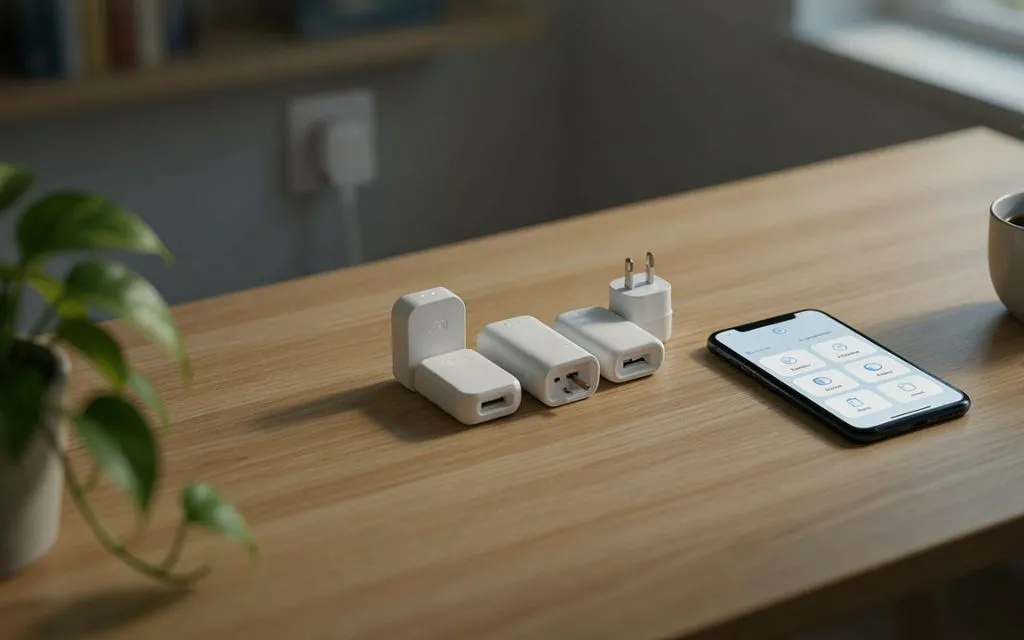
| Smart Plug | Connection | Energy Monitoring | Matter | Best For |
| TP-Link Tapo P125M | Wi-Fi | No | Yes | Affordable Matter setup |
| TP-Link Kasa KP125M | Wi-Fi | Yes | Yes | Energy tracking |
| Eve Energy | Thread | Yes | Yes | Apple Home and privacy |
| Amazon Smart Plug | Wi-Fi | No | No | Alexa users |
| Meross MSS315 | Wi-Fi | Yes | Yes | Multi-platform users |
| Aqara Smart Plug | Zigbee | Yes | Depends on model/setup | Aqara smart homes |
Smart-plug features can vary by region and hardware version, so always check the exact model before buying. For example, TP-Link lists the Tapo P125M as a Matter-certified 2.4GHz Wi-Fi plug with a 15A/1,800W maximum load for its US version.
What Is a Smart Plug?
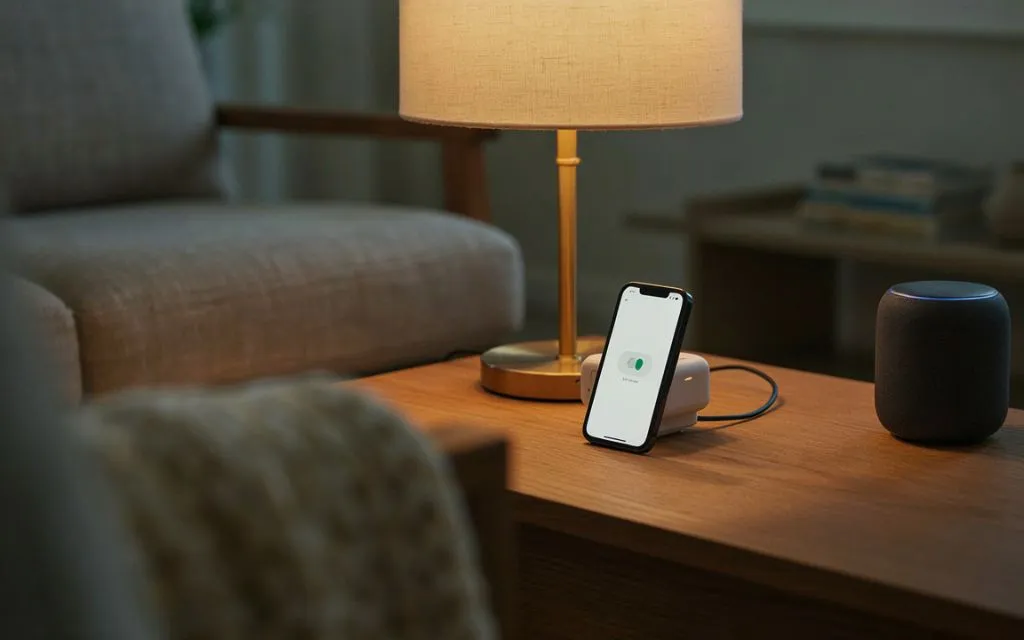
A smart plug is a small device that sits between a wall outlet and an electrical appliance.
Once connected, you can control the appliance through an app, voice assistant, schedule, or smart-home automation.
For example, you can plug a lamp into a smart plug and set it to turn on every evening. You can also control it from your phone instead of walking over to the switch.
Some models also measure electricity use.
That extra feature can help you see how much power an appliance consumes.
What Makes a Good Smart Plug in 2026?
Smart plugs have become more capable, but not every model needs every feature.
Before buying one, check these points.
1. Smart Home Compatibility
First, check which platform you use.
Common choices include:
- Amazon Alexa
- Google Home
- Apple Home
- Samsung SmartThings
- Matter
A plug that works with your preferred platform will be much easier to use.
2. Matter Support
Matter has become an important feature for people building a smart home around multiple platforms.
The Tapo P125M, for example, is Matter certified and supports Apple Home, Alexa, Google Assistant, and Samsung SmartThings.
Matter can make it easier to use compatible devices across different smart-home ecosystems.
3. Energy Monitoring
If you want to track electricity consumption, choose a model with energy monitoring.
A standard smart plug may only let you turn an appliance on or off.
An energy-monitoring plug can provide information about power use.
4. Load Rating
Check the maximum electrical load before connecting an appliance.
Many US smart plugs in this category have a 15A or 1,800W general-use rating. The Tapo P125M, for example, is rated for 15A and 1,800W at 120V.
Always follow the manufacturer’s instructions and local electrical requirements.
5. App Quality
A smart plug is only useful if the app is easy to use.
Look for simple controls, schedules, timers, automation options, and clear device status.
Best Smart Plugs 2026
1. TP-Link Tapo P125M
The TP-Link Tapo P125M is a compact smart plug designed for people who want Matter support without buying a complicated device.
It uses 2.4GHz Wi-Fi and also uses Bluetooth for setup. TP-Link lists support for Matter, Apple Home, Amazon Alexa, Google Assistant, and Samsung SmartThings.
It can handle up to 15A or 1,800W for general and resistive loads in the US version.
The compact body is also useful when two outlets sit close together. TP-Link specifically describes the design as small enough to avoid blocking adjacent sockets.
The Tapo app provides remote control, scheduling, auto-off, and away mode.
Best for: People who want an affordable Matter smart plug.
Main limitation: It does not provide energy monitoring.
2. TP-Link Kasa KP125M
The Kasa KP125M is aimed at people who want smart control plus energy information.
Current 2026 smart-plug guides list the KP125M as a strong option for energy monitoring, Matter compatibility, and broad smart-home support.
The plug is designed for common household appliances and is rated at up to 15A or 1,800W in the US market.
Energy monitoring is the main reason to consider it over a basic smart plug.
Instead of simply turning an appliance on and off, you can use compatible software to keep track of electricity consumption.
Best for: Users who want energy monitoring and broad smart-home compatibility.
Main limitation: You should check the exact regional model because features and compatibility can vary.
3. Eve Energy
Eve Energy is a particularly interesting option for Apple Home users and people who want Thread-based smart-home connectivity.
The current Eve Energy supports Matter over Thread and provides energy monitoring. Eve states that the device requires a compatible hub with both Matter Controller and Thread Border Router functionality.
In the US and Canada, Eve lists a maximum rating of 15A or 1,800W.
It is also available in different regional plug versions, including US, UK, European, Australian, and Swiss versions.
That makes it important to buy the correct regional version.
Best for: Apple Home users, Thread networks, and people who care about local smart-home control.
Main limitation: You need compatible Matter and Thread hub hardware.
4. Amazon Smart Plug
The Amazon Smart Plug keeps the idea simple.
It is designed primarily around the Alexa ecosystem, making it useful for someone who already controls smart-home devices through Alexa.
Instead of needing complicated automation software, you can use Alexa to control connected devices with voice commands or routines.
It makes sense for basic tasks such as:
- Turning lamps on and off
- Scheduling lights
- Controlling small appliances
- Creating Alexa routines
- Automating simple daily tasks
Best for: Alexa households that want simple smart control.
Main limitation: It is less attractive if you want a Matter-based multi-platform setup or built-in energy monitoring.
5. Meross MSS315
Meross has several smart plugs that support energy monitoring and Matter, depending on the exact model and region.
The MSS315 is aimed at users who want electricity tracking while keeping compatibility with major smart-home platforms.
Current 2026 smart-plug comparisons list Metric Matter models among the options for users who want energy monitoring and broad platform support.
It can be useful for appliances where you want to keep an eye on electricity consumption.
Best for: Users looking for energy monitoring and multi-platform support.
Main limitation: Check the exact model number before buying because Meross sells several similar-looking smart plugs.
6. Aqara Smart Plug
Aqara smart plugs are worth considering if you already use Aqara devices.
Aqara focuses heavily on smart-home automation, sensors, hubs, and connected accessories.
Some Aqara smart plugs use Zigbee and work through an Aqara hub, which can make sense when you already have that ecosystem.
This approach is different from buying a simple Wi-Fi plug.
Instead of connecting every device directly to your Wi-Fi network, the smart plug can communicate with the hub.
Best for: Existing Aqara users and people building a larger sensor-based smart home.
Main limitation: A hub may be required, depending on the exact model and setup.
Matter vs Wi-Fi Smart Plugs
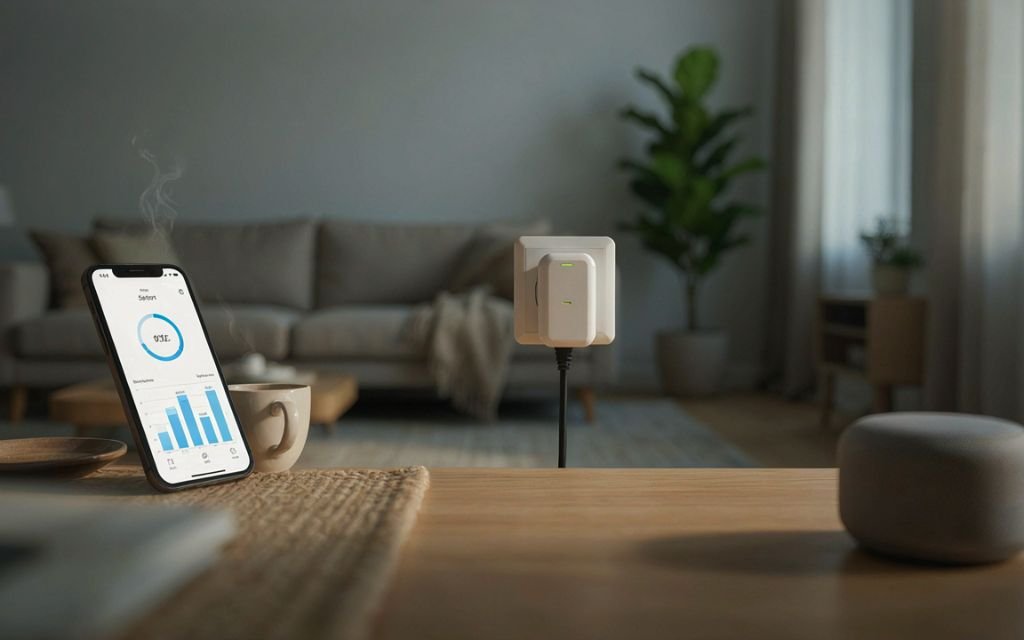
This is one of the most important things to understand before buying a smart plug in 2026.
Wi-Fi describes how the plug connects to your network.
Matter describes a smart-home communication standard that helps compatible devices work across supported platforms.
A plug can use Wi-Fi and Matter at the same time.
The Tapo P125M is a good example. It uses 2.4GHz Wi-Fi while also supporting Matter.
Why Matter Matters
Suppose you use Apple Home today but later add Google Home or another compatible platform.
A Matter-certified device can give you more flexibility than a device locked into one ecosystem.
However, Matter does not mean that every feature will automatically appear in every app.
The exact capabilities depend on the device, Matter implementation, and platform.
Smart Plugs With Energy Monitoring
Energy monitoring is useful when you want to understand how much electricity individual appliances consume.
For example, you could connect a desk computer, TV, fan, coffee maker, or another compatible appliance. If you’re also upgrading your workspace, choosing a comfortable display can make a difference, so you may want to see our guide to best budget monitors for work in 2026.
Why Energy Monitoring Is Useful
A normal smart plug tells you whether the outlet is on or off.
An energy-monitoring plug can provide additional information about electricity use.
This can help you identify appliances that consume more power than expected.
Current 2026 comparisons commonly highlight the Kasa KP125M, Eve Energy, and other models for energy monitoring.
What Can You Control With a Smart Plug?
Smart plugs work particularly well with appliances that simply need power.
Lamps
This is probably the easiest use.
You can create a schedule that turns a lamp on in the evening and off at bedtime.
Fans
A compatible fan can be switched on or off remotely.
However, the fan itself must resume operation when power is supplied. Some appliances require their own physical button to be pressed again.
Coffee Makers
Some traditional coffee makers start brewing when power returns.
That makes them suitable for scheduled smart-plug automation, provided the manufacturer allows this type of use.
Entertainment Devices
You can use a smart plug with certain TVs, speakers, and other devices.
Keep in mind that cutting power completely may not be ideal for every electronic device.
Smart Plug Safety
Smart plugs should not be treated as universal solutions for every electrical appliance.
Always check the plug’s maximum load and the appliance’s requirements.
A 15A/1,800W rating does not mean every appliance is automatically safe to connect.
Be Careful With High-Power Appliances
Devices such as:
- Space heaters
- Air conditioners
- Large kitchen appliances
- Electric ovens
- High-power tools
can place significant loads on electrical equipment.
Check the manufacturer’s instructions before using a smart plug with them.
Avoid Overloading the Plug
Do not exceed the rated load.
Also avoid using adapters or extension arrangements that create an unsafe electrical setup.
For additional guidance on electrical product and fire safety, see the U.S. Consumer Product Safety Commission’s electrical safety information.
Check the Local Plug Version
Smart plugs are sold in different regional versions.
A US model is not the correct choice for a UK, European, Australian, or Pakistani wall outlet unless the electrical and plug requirements are specifically compatible.
Eve, for example, sells different regional versions with different electrical ratings and socket types.
Smart Plug vs Smart Outlet
A smart plug is usually easier to install.
You simply plug it into an existing wall socket.
A smart outlet replaces the wall outlet itself.
Smart Plug
Pros:
- Easy installation
- Portable
- No electrician usually needed
- Easy to move between appliances
- Good for renters
Cons:
- Takes up outlet space
- Can look bulky
- Adds another device to the wall socket
Smart Outlet
Pros:
- Cleaner appearance
- Built into the wall
- Can provide multiple controlled outlets
Cons:
- More difficult installation
- May require electrical work
- Less convenient to move
For most beginners, a smart plug is the easier starting point.
How Much Should You Spend on a Smart Plug?
Prices vary by country, model, features, and pack size.
Basic smart plugs can be relatively inexpensive.
Matter support and energy monitoring may increase the price.
Current 2026 buying guides show budget Matter plugs such as the Tapo P125M in the lower-priced category, while Eve Energy and other Thread-based models can cost more.
Buying a multipack can also reduce the cost per plug.
If you only need one plug for a lamp, there is little reason to spend heavily on advanced features.
If you are building a larger smart home, paying more for Matter, energy monitoring, or Thread may make more sense.
Common Buying Mistakes
Buying Without Checking Compatibility
Do not assume every smart plug works with every voice assistant.
Check Alexa, Google Home, Apple Home, SmartThings, or Matter compatibility before ordering.
Ignoring the Electrical Rating
Always check the maximum load.
This becomes especially important with high-power appliances.
Buying Matter Without Checking the Hub
Matter is not always completely hub-free.
For example, Eve Energy requires a compatible Matter Controller and Thread Border Router.
Paying for Energy Monitoring You Do Not Need
If you only want to automate a lamp, energy monitoring may not be necessary.
A simple on/off plug can do the job.
Choosing the Wrong Regional Model
Check the socket type, voltage, frequency, and maximum load for your country.
Which Smart Plug Should You Choose?
| Your Priority | Option to Consider | Main Reason |
| Affordable Matter setup | Tapo P125M | Compact and Matter certified |
| Energy monitoring | Kasa KP125M | Smart control plus energy tracking |
| Apple Home and Thread | Eve Energy | Matter over Thread |
| Simple Alexa control | Amazon Smart Plug | Straightforward Alexa use |
| Matter + energy monitoring | Meross MSS315 | Multi-platform features |
| Aqara ecosystem | Aqara Smart Plug | Works with Aqara setup |
The best choice depends on the smart-home system you already use.
Frequently Asked Questions
What is the best smart plug in 2026?
There is no single model for every home. Tapo P125M, Kasa KP125M, Eve Energy, Amazon Smart Plug, Meross, and Aqara models each suit different needs. Current 2026 guides particularly emphasize Matter and energy monitoring.
Are smart plugs worth buying?
Yes, they can be useful for simple automation, scheduled appliances, remote control, and energy monitoring when supported.
Do smart plugs use a lot of electricity?
Smart plugs consume some standby power because they need to remain connected and ready to communicate. The amount varies by model.
Do smart plugs work without Wi-Fi?
Some smart plugs use protocols such as Thread or Zigbee rather than Wi-Fi. Others depend on Wi-Fi. Check the exact model before buying.
Is Matter better than Wi-Fi?
They are not direct alternatives. Wi-Fi is a networking technology, while Matter is a smart-home standard. A smart plug can use Wi-Fi and Matter together.
Do Matter smart plugs need a hub?
It depends on the device and the smart-home platform. Some Matter-over-Wi-Fi setups can work without a dedicated device hub, while Thread-based products require appropriate Thread and Matter infrastructure. Eve Energy, for example, requires a compatible Matter Controller and Thread Border Router.
Can smart plugs monitor electricity?
Some can. Models with energy monitoring can provide information about electricity use, while basic smart plugs only provide on/off control.
Can I use a smart plug with a heater?
Only if the smart plug is specifically rated for the heater’s electrical load and the manufacturer permits the use. High-power appliances require particular care.
Can I use a smart plug with Alexa?
Many smart plugs support Alexa. The Amazon Smart Plug is designed specifically around Alexa, while the Tapo P125M also supports Alexa.
Can I use a smart plug with Apple Home?
Some models support Apple Home directly or through Matter. The Tapo P125M and Eve Energy are examples of current models with Apple Home support.
Key Takeaway
The best smart plugs 2026 depend on what you want to automate.
For a basic Matter setup, the Tapo P125M is a practical choice. If electricity tracking is important, look at the Kasa KP125M or another energy-monitoring model. Apple Home users who already have Thread infrastructure can consider Eve Energy.
Before buying, check four things: smart-home compatibility, electrical rating, energy monitoring, and Matter or hub requirements.
Those details matter more than simply choosing the cheapest plug.
Conclusion
Smart plugs are one of the easiest ways to add automation to an existing home.
You do not need to replace every appliance or install a complicated system. A single smart plug can turn an ordinary lamp, fan, or compatible appliance into a device that responds to schedules, phone controls, and voice commands.
In 2026, Matter is also making compatibility an important part of the buying decision. The Tapo P125M supports Matter across several major platforms, while Eve Energy combines Matter with Thread and energy monitoring. The Kasa KP125M is another option for people who want to track electricity use.
The best approach is to start with the ecosystem you already use. Then check the plug’s electrical rating, required hub or controller, energy-monitoring features, and regional compatibility.
For a simple lamp or small appliance, a basic smart plug may be all you need. For a larger smart home, Matter, Thread, energy monitoring, and automation support can make the extra cost worthwhile.