

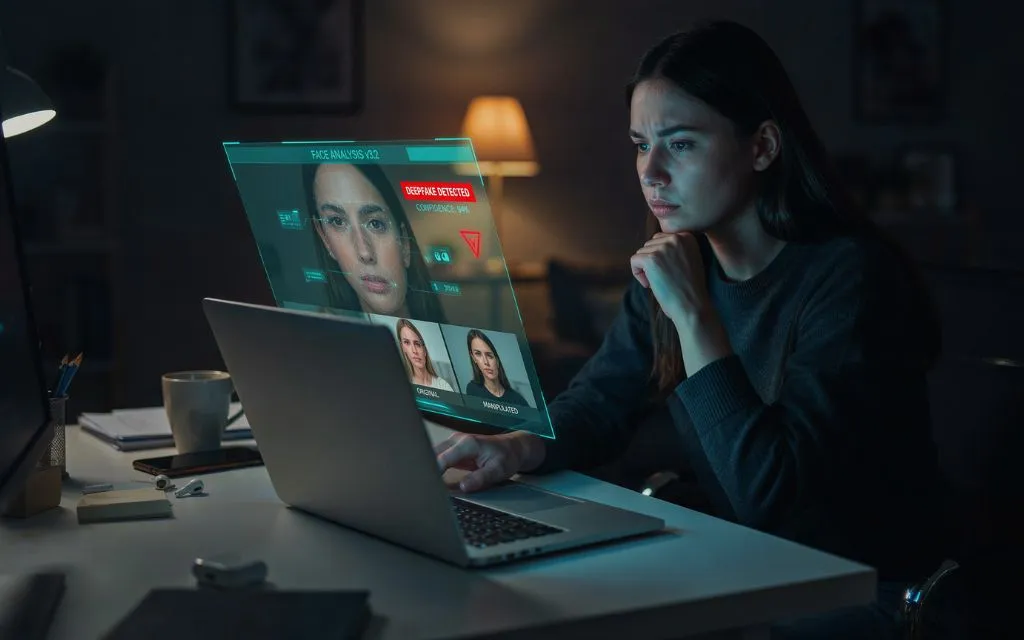

To detect a deepfake video, viewers should check the source, face, eyes, mouth, audio, lighting, shadows, background, and frame-to-frame movement. The video should also be compared with trusted sources and, when possible, checked for provenance information or analyzed with a specialized detection tool.
- What Is a Deepfake Video?
- 10 Signs That a Video May Be a Deepfake
- 6. Compare Lighting, Shadows and Reflections
- 7. Examine Hair, Ears, Teeth and Accessories
- 8. Check the Background and Body Movement
- 9. Find the Original Video
- 10. Check Metadata, Provenance and AI Watermarks
- How to Check a Deepfake Video Step by Step
- Can AI Deepfake Detectors Be Trusted?
- What Makes Deepfakes Hard to Detect?
- Deepfake Videos and Online Scams
- What Should Someone Do If a Deepfake Looks Real?
- Frequently Asked Questions
- Final Takeaway
A single strange-looking frame does not prove that a video is fake. Compression, poor lighting, camera movement and low-quality uploads can create similar artifacts. Reliable verification works best when several independent clues point in the same direction. MIT Media Lab and Full Fact both emphasize that there is no single guaranteed visual sign that identifies every deepfake.
What Is a Deepfake Video?
A deepfake video is a form of manipulated or synthetic media that uses artificial intelligence to change a person’s appearance, voice, expressions or actions.
A face may be replaced with another person’s face. A person’s mouth may be digitally altered so it appears that they said different words. AI can also generate an entirely synthetic person or scene.
Deepfakes can be used for entertainment and creative work, but they can also support misinformation, impersonation, fraud and other harmful activity. The FTC has warned that AI-enabled impersonation and voice cloning can make scams more convincing.
This is why deepfake video detection is becoming an important digital literacy skill.
10 Signs That a Video May Be a Deepfake
1. Check Where the Video Came From
The source should be the first thing a viewer checks.
A suspicious video may appear on an unknown social media account, an unverified page, a forwarded message or a repost without context. A major claim from a celebrity, politician, company executive or public organization should normally be traceable to an official account or credible news source.
Searching a distinctive sentence from the video can help locate the earliest version. It is also useful to search for a longer version of the same event.
If a video claims that a public figure made a major announcement but no reputable source reports it, that does not automatically prove the video is fake. It does, however, provide a reason to investigate further.
2. Watch the Face and Jawline
Face-swapping technology can create subtle problems around the boundary between the generated face and the original head.
Viewers should pause the video and examine the:
- Jawline
- Cheeks
- Hairline
- Ears
- Chin
- Neck
- Facial edges
A face may appear slightly softer than the rest of the head. The skin tone may also change where the face meets the neck or ears.
MIT’s Detect Fakes project recommends paying attention to facial appearance, including skin texture, facial hair, moles, eyes and other details.
However, a blurry edge should not automatically be treated as proof. Compression and motion blur can produce similar effects.
3. Check the Eyes and Blinking
The eyes can provide useful clues because they involve complex movement, reflections and expressions.
A suspicious video may show:
- Unusual blinking
- Misaligned eyes
- Strange eye movement
- Inconsistent reflections
- Pupils that appear unstable
- Eyes that do not seem to focus naturally
Viewers should pause the video at different moments rather than judging the eyes from one frame.
Full Fact also recommends checking eye alignment and comparing facial characteristics with genuine images of the person.
Still, unusual blinking alone is not enough to identify a deepfake. Real people can blink frequently, rarely or unevenly.
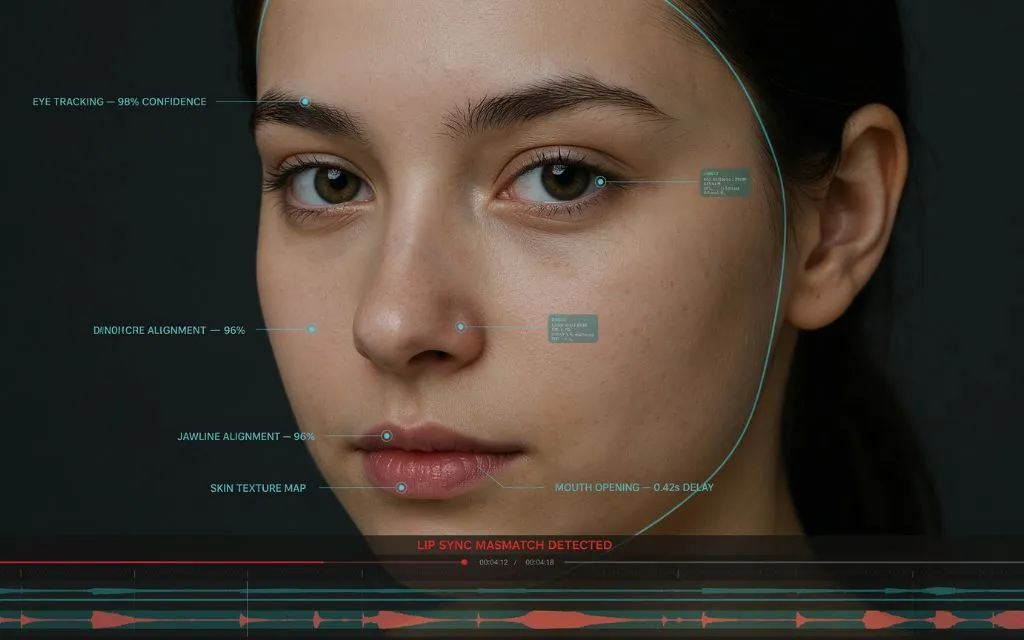
4. Look Closely at the Mouth and Lip Sync
Lip-sync is one of the most useful areas to inspect when a person appears to say something unusual.
The viewer should listen to the audio while watching the mouth. Do the lips move at the same time as the spoken words?
Pay special attention to sounds that require clear lip movement, such as B, P and M.
Possible warning signs include:
- Mouth movement slightly ahead of the audio
- Audio arriving after the lips move
- Teeth changing shape
- A tongue that looks unnatural
- A mouth that appears overly smooth
- Facial expressions that do not match speech
Modern systems can produce convincing lip-sync, so this check should be combined with source verification and other evidence. Research into multimodal deepfake detection also focuses on audio-visual alignment because inconsistencies between speech and facial movement can provide useful signals.
5. Slow the Video Down
Normal playback can hide small inconsistencies.
A useful manual test is to replay suspicious sections at approximately 0.25x speed. The viewer can then watch the face while the person:
- Turns the head
- Blinks
- Speaks quickly
- Covers part of the face
- Moves closer to the camera
- Moves away from the camera
Deepfake artifacts may become easier to notice during these movements.
Look for flickering, sudden changes in facial texture, shifting edges or a face that appears to move slightly differently from the head.
Temporal consistency is particularly important because video contains information across many consecutive frames. A generated face may look convincing in one frame but become unstable during movement.
6. Compare Lighting, Shadows and Reflections
Lighting should make physical sense throughout the scene.
For example, if the main light appears to come from the left, the face, body and nearby objects should generally respond to that lighting direction.
A suspicious video may show:
- A face lit differently from the body
- Shadows pointing in conflicting directions
- Strange reflections in glasses
- Skin highlights that change unexpectedly
- Lighting that changes around the face without a clear reason
MIT’s research specifically highlights eyes, glasses and lighting as areas worth examining when looking for manipulation.
This check becomes more useful when the video contains reflective objects such as glasses, windows or polished surfaces.
7. Examine Hair, Ears, Teeth and Accessories
Small details can reveal temporal inconsistencies.
Hair may flicker when the head moves. Earrings can change shape or disappear. Glasses may appear to shift. Teeth may look different between frames.
Viewers should also check:
- Facial hair
- Eyebrows
- Earrings
- Necklaces
- Glasses
- Shirt collars
- Logos
- Text on signs
- Patterns on clothing
These objects should remain consistent as the person moves.
A useful approach is to choose one unusual detail and watch it for several seconds instead of trying to inspect everything at once.
8. Check the Background and Body Movement
A deepfake does not always fail on the face.
The background may warp around the person. Objects can appear to bend, change shape or move in ways that do not match the camera.
Body movement can also provide clues.
A real person’s movement usually includes small changes in posture, balance and facial expression. Some generated videos may produce movement that looks unusually rigid or disconnected.
The viewer should check whether:
- The head movement matches the body
- Hands move naturally
- Clothing behaves consistently
- Background objects remain stable
- Shadows move with the person
- Objects keep their correct shape
These signs are especially useful when the video uses full-body generation rather than only a face swap.
9. Find the Original Video
Source verification is often stronger than simply staring at pixels.
A suspicious clip can be investigated by taking screenshots of distinctive frames and searching for them online. Reverse image search can sometimes reveal an older version, original interview or longer recording.
The goal is to answer three questions:
Who first published the video?
When was it published?
Does an earlier or longer version show something different?
If an original recording exists and the suspicious clip has changed the person’s words, face or actions, the manipulation becomes easier to establish.
The cleanest available version should be used for analysis because social media compression and screen recordings can introduce artifacts that look similar to AI manipulation.
10. Check Metadata, Provenance and AI Watermarks
Technical information can provide another layer of evidence.
Metadata may contain information about a file’s creation, modification or encoding history. However, metadata should not be treated as final proof because it can be removed or changed during editing and uploading.
A newer approach is content provenance.
C2PA’s Content Credentials standard is designed to record information about the origin and editing history of digital media. Credentials can provide cryptographically verifiable information about how content was created or changed.
Google’s SynthID is another relevant technology. Google DeepMind says SynthID can embed invisible watermarks into AI-generated video and other media, allowing compatible systems to identify content created with supported Google AI technologies.
These technologies are useful, but they do not mean that the absence of a watermark proves that a video is real.
C2PA itself explains an important limitation: provenance can provide evidence about the origin and history of content, but provenance alone cannot establish whether the real-world claim shown in the content is true.
Also Read: 10 Actually Useful Ways to Use AI in Everyday Life
How to Check a Deepfake Video Step by Step
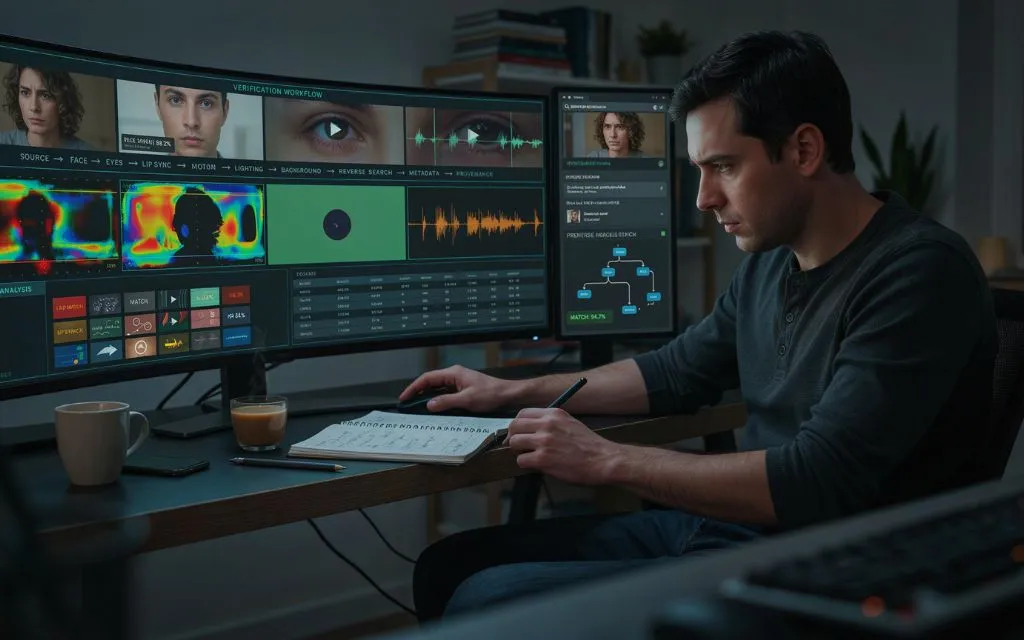
For an important or suspicious video, a structured workflow is better than relying on one clue.
| Step | What to check | What it can reveal |
| 1 | Original source | Who published it |
| 2 | Full video | Missing context or editing |
| 3 | Face | Blending and facial artifacts |
| 4 | Eyes | Alignment and reflections |
| 5 | Mouth | Lip-sync problems |
| 6 | Motion | Frame-to-frame instability |
| 7 | Lighting | Physical inconsistencies |
| 8 | Background | Warping and object changes |
| 9 | Reverse search | Earlier or original footage |
| 10 | Provenance | Creation and editing history |
This layered approach is more reliable than asking whether the person’s face simply “looks strange.”
Can AI Deepfake Detectors Be Trusted?
AI detection tools can be useful, but they should not be treated as perfect judges.
A detector may analyze facial artifacts, frame patterns, audio characteristics or other statistical signals. Research has shown that deepfake detection remains challenging because manipulation methods continue to change and detectors can struggle with unseen generation techniques.
For that reason, a detector result should be considered one piece of evidence.
A stronger investigation combines:
- Human visual inspection
- Audio and lip-sync analysis
- Source verification
- Reverse searching
- Metadata or provenance checks
- Specialist forensic analysis when necessary
This approach reduces the risk of accepting a false positive or false negative.
What Makes Deepfakes Hard to Detect?
Modern generative AI can create highly realistic faces, voices and movements. Older advice often focused on obvious errors such as strange hands or unnatural eyes.
Those clues can still appear, but high-quality video can be much harder to judge.
Current detection research increasingly considers temporal consistency and multimodal evidence, meaning the relationship between video, audio and movement. Research published in 2026, for example, describes detection methods that examine visual artifacts together with audio-visual alignment.
This means that the question is no longer simply, “Does the face look fake?”
A better question is:
Do the face, voice, movement, lighting, source and history of the video all agree with one another?
Deepfake Videos and Online Scams
Deepfakes can become especially dangerous when they are connected to urgent financial requests.
A fake video may appear to show a celebrity promoting an investment, an executive giving instructions or a family member asking for help.
The FTC has reported major losses from impersonation scams and warns that AI can make impersonation more convincing. In 2025, consumers reported $3.5 billion in losses from imposter scams.
When money, passwords, cryptocurrency or sensitive information is requested, the safest response is independent verification.
The person should be contacted through a known channel rather than using contact information supplied by the suspicious message.
The FTC gives similar advice for AI voice-cloning scams: do not trust a voice alone, and verify the situation through a trusted contact method.
What Should Someone Do If a Deepfake Looks Real?
A realistic video should not automatically be shared.
The safest process is:
- Save the original link
- Avoid editing the evidence
- Record where it was found
- Search for the original source
- Compare reports from trusted organizations
- Check the person’s official accounts
- Use reverse image or video search
- Check available provenance information
- Use a reputable detection tool when necessary
If the video involves fraud, threats, blackmail or financial loss, preserving the original evidence can also be important before reporting it.
Frequently Asked Questions
How can someone tell if a video is a deepfake?
A person can check the source, face boundaries, eyes, mouth movement, audio synchronization, lighting, shadows, background and frame-to-frame consistency. Source verification should be combined with these visual checks.
What is the biggest sign of a deepfake video?
There is no single biggest sign that works for every deepfake. Face-edge artifacts, lip-sync errors, temporal flickering and inconsistent lighting can be useful clues, but none proves manipulation alone.
Can deepfake videos look completely real?
Yes. High-quality deepfakes can be difficult to identify with casual viewing. That is why source verification, provenance and multiple forms of evidence are important.
Can Google detect deepfake videos?
Google has developed SynthID, which can embed invisible watermarks into supported AI-generated video and other media. Compatible systems can use the watermark to help identify supported Google AI content.
Can reverse image search detect a deepfake video?
Reverse searching a screenshot or distinctive video frame can help locate earlier versions or the original footage. It does not automatically prove that a video is AI-generated.
Does metadata prove that a video is real?
No. Metadata can provide useful clues, but it can be removed or changed. It should be treated as supporting evidence rather than final proof.
Are online deepfake detectors accurate?
They can provide useful signals, but no detector should be treated as infallible. Different tools can produce different results, especially when dealing with new or unfamiliar generation methods.
Can audio reveal a deepfake?
Yes. Unnatural voice quality, timing, breathing, emotional delivery and lip-sync mismatches can provide clues. However, modern voice cloning can sound highly realistic, so independent verification is still important.
What is C2PA?
C2PA is an open technical standard for recording the provenance and editing history of digital content. Its Content Credentials can help users understand where media came from and how it was changed.
Final Takeaway
Learning how to detect deepfake videos requires more than looking for one strange facial feature.
The strongest approach combines visual inspection, audio analysis, source checking, reverse search, metadata review and content provenance. Viewers should slow suspicious footage down, inspect facial movement, compare the clip with trusted sources and avoid making important decisions based only on what a video appears to show.
Deepfake technology continues to improve, so detection is becoming a process of verification rather than a simple visual trick. When a video involves money, safety, reputation or a major public claim, independent confirmation is far more reliable than trusting the video alone.