


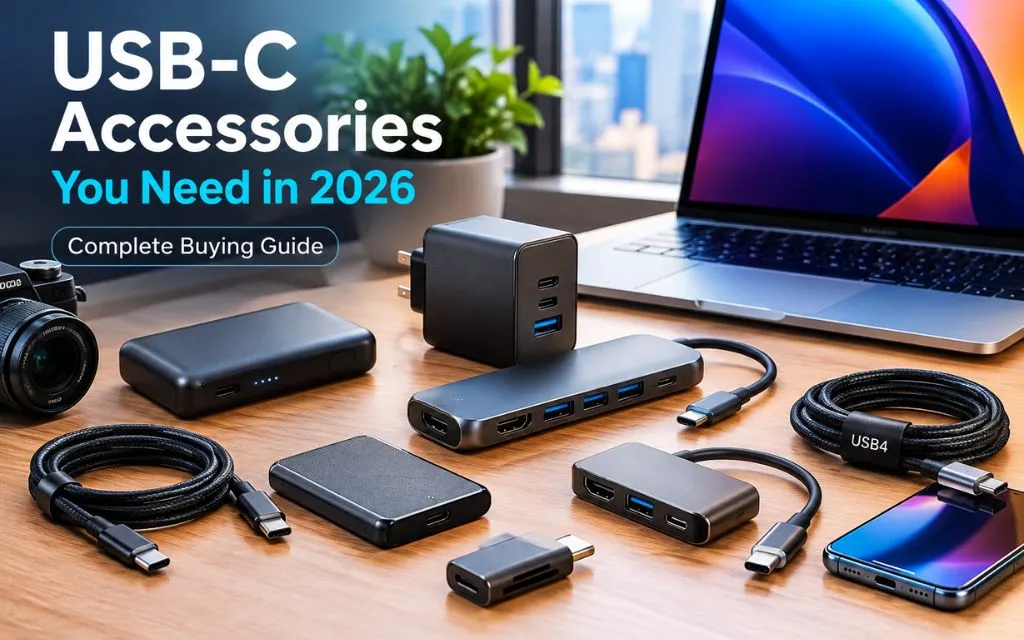

USB-C has become one of the most useful connection standards for modern technology. Phones, tablets, laptops, headphones, cameras, gaming devices, monitors, and storage drives can now use the same basic connector.
- Quick Answer: Which USB-C Accessories Are Essential in 2026?
- USB-C Accessories Compared
- 1. A High-Quality USB-C to USB-C Cable
- 2. A Fast USB-C Charger
- 3. USB-C Power Bank
- 4. USB-C Hub
- 5. USB-C Docking Station
- 6. USB-C to HDMI Adapter
- 7. USB4 Cable
- 8. Thunderbolt 4 or Thunderbolt 5 Cable
- 9. USB-C External SSD
- 10. USB-C SD Card Reader
- 11. USB-C Multiport Adapter
- USB-C Accessories for Students
- USB-C Accessories for Remote Workers
- USB-C Accessories for Travelers
- USB-C Accessories for Content Creators
- USB-C vs Thunderbolt: What Is the Difference?
- Are Expensive USB-C Accessories Worth It?
- Common USB-C Buying Mistakes
- How to Build a Simple USB-C Setup in 2026
- Key Takeaway
- FAQs
- Conclusion
However, having USB-C ports does not mean every USB-C accessory works in the same way. Cables can support different charging speeds and data rates. Chargers can provide different amounts of power. Hubs can offer different ports and display capabilities.
That is why knowing which USB-C accessories you need in 2026 can make everyday technology much easier to manage.
The most useful accessories include a reliable USB-C cable, a fast USB-C charger, a power bank, a USB-C hub, a multi-port adapter, and an external storage solution. Advanced users may also benefit from USB4 or Thunderbolt accessories.
USB-C is also part of a wider trend toward simpler, more universal technology. Readers interested in changing device designs can explore foldable phone technology explained to see how manufacturers are developing new portable hardware.
Quick Answer: Which USB-C Accessories Are Essential in 2026?
The most useful USB-C accessories in 2026 include:
- High-quality USB-C to USB-C cable
- USB-C fast charger
- USB-C power bank
- USB-C hub
- USB-C docking station
- USB-C to HDMI adapter
- USB4 or Thunderbolt cable
- USB-C external SSD
- USB-C card reader
- USB-C multiport adapter
Not everyone needs every accessory. The right setup depends on whether the user mainly needs charging, data transfer, external displays, travel connectivity, or desktop expansion.
USB-C Accessories Compared
| Accessory | Main Use | Best For |
| USB-C Cable | Charging and data | Everyone |
| USB-C Charger | Fast charging | Phones, tablets, laptops |
| Power Bank | Portable charging | Travel |
| USB-C Hub | More ports | Laptops |
| Docking Station | Desktop connectivity | Workstations |
| HDMI Adapter | External display | Monitors and TVs |
| USB4 Cable | High-speed data | Advanced users |
| External SSD | File storage | Creators and students |
| Card Reader | Camera file transfer | Photographers |
| Multi-Port Adapter | Multiple connections | Travelers |
1. A High-Quality USB-C to USB-C Cable
A good USB-C cable is the first accessory most users should buy.
USB-C cables may look almost identical, but their capabilities can be very different. Some are designed mainly for charging, while others support high-speed data transfers and video connections.
Current 2026 cable guides highlight differences in charging power and data-transfer speeds between USB-C cables. Some modern cables can support USB4 data rates and power delivery of up to 240W when the connected devices and charger also support those capabilities.
For general charging, a quality USB-C cable with suitable Power Delivery support is usually enough. Users who transfer large video files should consider a higher-speed USB4 or Thunderbolt cable.
What to Check
Look for:
- Charging wattage
- Data-transfer speed
- USB version
- Cable length
- Build quality
- USB-IF certification where relevant
- Video support if required
A cheap cable may charge a phone but fail to provide the expected speed for a laptop, SSD, or monitor.
2. A Fast USB-C Charger
A USB-C charger can replace several older charging bricks.
A single high-power charger can potentially charge a smartphone, tablet, headphones, and even a compatible laptop. This can make travel much easier.
Users should pay attention to USB Power Delivery, commonly called USB PD. Higher-power laptops may need 65W, 100W, 140W, or more depending on the model.
A multi-port charger can also be useful because it allows several devices to charge from one wall outlet.
How Much Power Do You Need?
| Device | Typical Useful Range |
| Wireless earbuds | 5W to 15W |
| Smartphone | 20W to 45W+ |
| Tablet | 20W to 65W |
| Ultrabook | 45W to 100W |
| Performance laptop | 100W to 240W |
These are general ranges. Users should always check the charging requirements of their specific devices.
3. USB-C Power Bank
A USB-C power bank is one of the most useful accessories for travel.
Modern power banks can provide enough output for smartphones, tablets, handheld gaming devices, cameras, and some laptops. Current 2026 power-bank testing includes models with USB-C outputs reaching 100W and 140W, showing how portable charging has moved beyond basic phone charging.
A power bank should be selected according to capacity and output.
For a smartphone, a compact 10,000mAh model may be enough for everyday emergencies. Travelers who need to charge tablets or laptops may prefer a larger capacity with higher USB-C Power Delivery output.
What to Check
- Capacity
- Maximum USB-C output
- Number of ports
- Recharge speed
- Weight
- Airline restrictions
- Built-in display if useful
Users who travel frequently should also check airline rules before carrying very high-capacity power banks.
4. USB-C Hub
A USB-C hub can solve one of the biggest problems with modern thin laptops: not enough ports.
A single USB-C port can be expanded into multiple connections such as USB-A, HDMI, Ethernet, SD card, and additional USB-C ports.
Current 2026 hub guides continue to recommend USB-C hubs for connecting older peripherals such as mice, keyboards, printers, displays, and storage devices to modern laptops.
A hub is especially useful for students, remote workers, and people who use laptops with limited built-in ports.
Common Hub Ports
A useful hub may include:
- USB-C
- USB-A
- HDMI
- SD card
- MicroSD
- Ethernet
- 3.5mm audio
Not every hub includes all of these ports, so buyers should check the exact specification.
5. USB-C Docking Station
A docking station is more powerful than a basic USB-C hub.
It is designed for users who want to connect several devices to a laptop or desktop setup.
A single cable can potentially connect the computer to external displays, storage, Ethernet, keyboard, mouse, and power.
Thunderbolt technology is especially useful for advanced docking setups. Intel explains that Thunderbolt can use the USB-C connector while providing higher minimum performance requirements and support for demanding accessories and displays.
For a permanent desk setup, a dock can reduce cable clutter and make connecting a laptop much faster.
6. USB-C to HDMI Adapter
A USB-C to HDMI adapter is useful when connecting a laptop, tablet, or compatible phone to an external monitor or television.
This can be helpful for presentations, studying, gaming, watching videos, and working with a larger screen.
However, not every USB-C port supports video output. The device must support the required display technology through its USB-C port.
Users should check whether their device supports DisplayPort Alt Mode, USB4 display output, or compatible Thunderbolt functionality before buying an adapter.
7. USB4 Cable
USB4 cables are worth considering for users who need fast data transfer.
The USB Implementers Forum explains that USB4 expands USB Type-C capabilities and supports multiple data and display protocols. USB4 can also support up to 80 Gbps operation with appropriate certified cables and hardware.
This makes USB4 useful for external SSDs, high-speed storage, displays, and other demanding applications.
However, buying the fastest cable available is not always necessary. If a phone only supports basic USB speeds, a premium USB4 cable will not automatically make the phone transfer data faster.
8. Thunderbolt 4 or Thunderbolt 5 Cable
Thunderbolt cables are designed for demanding connectivity.
They can be useful for high-speed storage, docking stations, multiple displays, and professional workflows.
Thunderbolt 4 provides up to 40 Gbps connectivity, while Thunderbolt 5 can provide significantly higher bandwidth in supported configurations. Intel’s current Thunderbolt information lists Thunderbolt 5 with up to 120 Gbps capability in supported scenarios.
For everyday phone charging, Thunderbolt is usually unnecessary. For professional laptop setups, external SSDs, and advanced docks, it can be much more useful.
9. USB-C External SSD
An external SSD with USB-C can provide fast portable storage.
It is especially useful for photographers, video editors, students, content creators, and anyone who regularly moves large files between devices.
A USB-C SSD can store:
- Videos
- Photos
- Documents
- Project files
- Backups
- Games
- Creative assets
The actual transfer speed depends on both the SSD and the USB-C port or cable being used.
For example, connecting a high-speed SSD through a slower USB port can limit performance.
10. USB-C SD Card Reader
A USB-C SD card reader is an important accessory for photographers and video creators.
Many cameras still use SD or microSD cards for storage. A USB-C card reader allows users to transfer files directly to a laptop, tablet, or compatible phone.
A good reader should support the card type and speed required by the camera.
For creators working with large 4K or 8K video files, a faster card reader can save significant time during transfers.
11. USB-C Multiport Adapter
A multi-port adapter is useful for travel.
Instead of carrying separate HDMI, USB, Ethernet, and card-reader accessories, users can carry one compact device.
This is particularly useful for students and professionals who move between different workspaces.
A good travel adapter should have the ports the user actually needs. Buying an adapter with ten unused ports only adds unnecessary size and cost.
USB-C Accessories for Students
Students can benefit from a relatively simple USB-C setup.
A reliable cable, compact charger, power bank, and USB-C hub can cover most daily needs.
Students who frequently present projects can also add a USB-C to HDMI adapter.
For students who work with large files, an external SSD can provide useful backup storage.
Digital tools are also becoming more important in education and productivity. Students interested in modern AI workflows can read how to create an AI agent to understand how AI automation is being used across different tasks.
USB-C Accessories for Remote Workers

Remote workers often need more connectivity than a laptop provides.
A USB-C dock can connect an external monitor, keyboard, mouse, Ethernet cable, webcam, and storage device.
A good charger can also reduce the number of power adapters on a desk.
For people who work with online tools, cybersecurity and digital media awareness are also becoming important. StuffBytes’ guide on how to detect deep fake videos covers another important part of modern digital life.
USB-C Accessories for Travelers
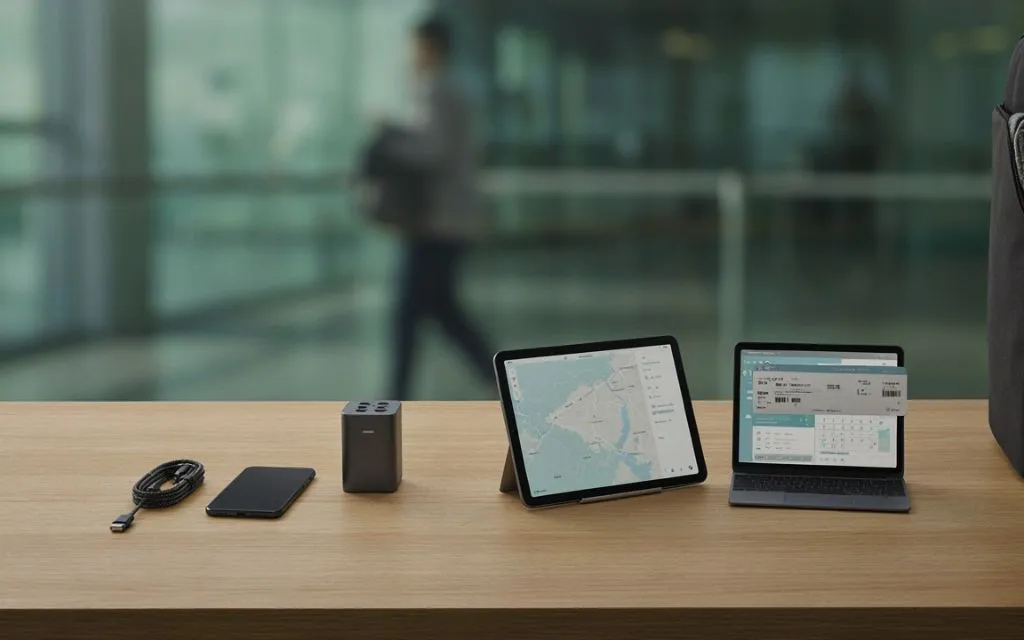
Travelers should focus on portability.
A compact GaN USB-C charger can replace several traditional charging bricks. A 10,000mAh power bank can provide emergency phone power, while a small USB-C hub can handle different connectivity needs.
A short USB-C cable can also be useful because it takes less space and reduces cable clutter.
Travelers who use foldable phones can combine a compact charger and cable with their phone setup.
USB-C Accessories for Content Creators
Content creators often need higher-performance accessories.
A fast USB4 or Thunderbolt cable can help with external SSDs. A USB-C card reader can speed up camera transfers. A powerful charger can keep laptops and cameras running during long editing sessions.
A USB-C dock can also create a desktop editing station with external displays and multiple storage devices.
Creators should check the actual USB standard supported by every component. A high-speed SSD connected through a slow hub may not deliver its advertised performance.
USB-C vs Thunderbolt: What Is the Difference?
USB-C describes the connector shape. It does not automatically tell users the data speed, charging capability, or display support.
Thunderbolt also uses the USB-C connector, but Thunderbolt certification requires specific performance and capability levels.
This distinction is important when buying cables.
Two cables may have the same USB-C connector but provide completely different performance.
Users should therefore look at the specification rather than assuming every USB-C accessory is equivalent.
Are Expensive USB-C Accessories Worth It?
Not always.
A premium Thunderbolt cable can be useful for a professional who transfers large files every day. The same cable may provide little practical benefit to someone who only charges a smartphone.
The same applies to hubs, docks, chargers, and power banks.
The best approach is to buy accessories based on actual requirements rather than maximum specifications.
Common USB-C Buying Mistakes
Buying Any USB-C Cable
The connector may be the same, but the internal specifications can differ.
Always check charging and data capabilities.
Ignoring Charger Wattage
A low-power charger may charge a laptop slowly or fail to maintain its battery during heavy use.
Assuming Every USB-C Port Supports Video
Some USB-C ports support charging and data only. Check the device specification before buying a display adapter.
Buying a Hub Without Checking Its Limits
A hub may have HDMI and USB ports but still have limitations on resolution, refresh rate, data speed, or simultaneous connections.
Choosing Maximum Speed Without a Need
USB4 and Thunderbolt accessories can be excellent, but basic users may not benefit from their additional cost.
How to Build a Simple USB-C Setup in 2026
A practical setup does not need to be complicated.
Start with one high-quality USB-C cable and a suitable USB-C PD charger.
Add a power bank if portable charging is important.
For laptops, add a USB-C hub or docking station if more ports are required.
Users who work with large files can then add an external SSD and USB4 or Thunderbolt cable.
This approach avoids buying accessories that do not solve an actual problem.
Key Takeaway
The USB-C accessories you need in 2026 depend on how you use your devices.
For most people, the essential accessories are a reliable USB-C cable, fast charger, and power bank.
Laptop users can benefit from a USB-C hub or docking station. Content creators may need USB4 or Thunderbolt cables, external SSDs, and fast card readers.
The most important point is that USB-C is only the connector. The actual capabilities depend on the USB standard, Power Delivery support, data speed, display support, and the devices connected to it.
FAQs
What USB-C accessories should everyone have in 2026?
A reliable USB-C cable and suitable USB-C charger are the most useful accessories for most users. A power bank is also useful for people who travel.
Are all USB-C cables the same?
No. USB-C cables can support different charging powers, data speeds, and display capabilities.
What is the best USB-C accessory for a laptop?
A USB-C hub or docking station is one of the most useful accessories for laptops with limited ports.
Do USB-C cables support fast charging?
Some do. Fast charging depends on the cable, charger, device, and supported Power Delivery standard.
Is USB4 better than regular USB-C?
USB4 is a USB standard that uses the USB-C connector. It can provide higher data performance than many older USB implementations, but actual speed depends on the device and cable.
Do I need a Thunderbolt cable?
Most smartphone users do not need one. Thunderbolt cables are more useful for high-speed storage, professional docks, and demanding display setups.
Can a USB-C hub charge a laptop?
Some USB-C hubs support Power Delivery pass-through, but the maximum charging power varies by model.
Can USB-C connect a laptop to a monitor?
Yes, if the laptop’s USB-C port supports the necessary video output technology and the adapter, cable, and monitor are compatible.
Is a USB-C power bank worth buying?
Yes, especially for travelers and people who spend long periods away from electrical outlets.
What should I check before buying a USB-C accessory?
Check charging wattage, data speed, USB standard, display support, compatibility, port selection, and build quality.
Conclusion
USB-C has made modern device connectivity simpler, but the technology behind the connector can still be confusing.
The most useful accessories in 2026 include reliable USB-C cables, fast chargers, power banks, hubs, docking stations, USB-C display adapters, external SSDs, card readers, and high-speed USB4 or Thunderbolt cables.
The right accessory depends on the device and the task. A basic phone user may only need a charger and cable, while a content creator may need a complete high-speed storage and docking setup.
Before buying, users should always check the specifications of their devices. The USB-C connector may look universal, but charging power, data speed, and display capabilities can vary significantly.